

Jump to content
View in the app

A better way to browse. Learn more.

FMForums.com

A full-screen app on your home screen with push notifications, badges and more.

To install this app on iOS and iPadOS
  1. Tap the Share icon in Safari
  2. Scroll the menu and tap Add to Home Screen.
  3. Tap Add in the top-right corner.
To install this app on Android
  1. Tap the 3-dot menu (⋮) in the top-right corner of the browser.
  2. Tap Add to Home screen or Install app.
  3. Confirm by tapping Install.

Starter Solutions | Webinar | FM Academy | IT Solutions

(0 reviews)

FM Academy Webinar - IT Solutions: Working With and Extending FileMaker 12 Starter Solutions

Join Us Thursday, October 25th for a free one-hour webinar at 2pm (EST) / 1pm (CST) / 11am (PST). The topic is, working with and extending the FileMaker 12 starter solutions, hosted by Jerry Salem at IT Solutions. Register here.
FMA_webinar_logo.jpg

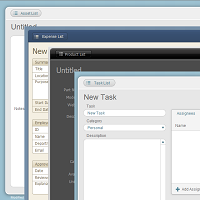
FileMaker 12 includes a whole new set of starter solutions built from the ground up for the new version of the product. They are beautifully styled using the new themes and are a great place to begin if you’re new to FileMaker 12.

The starter solutions are easy to add to and with a little work, can be combined together to create a larger solution that handles many aspects of your business.

read more

Source

0 Comments

Recommended Comments

There are no comments to display.

Important Information

By using this site, you agree to our Terms of Use.

Configure browser push notifications

Chrome (Android)
  1. Tap the lock icon next to the address bar.
  2. Tap Permissions → Notifications.
  3. Adjust your preference.
Chrome (Desktop)
  1. Click the padlock icon in the address bar.
  2. Select Site settings.
  3. Find Notifications and adjust your preference.