Jump to content
View in the app

A better way to browse. Learn more.

FMForums.com

A full-screen app on your home screen with push notifications, badges and more.

To install this app on iOS and iPadOS
  1. Tap the Share icon in Safari
  2. Scroll the menu and tap Add to Home Screen.
  3. Tap Add in the top-right corner.
To install this app on Android
  1. Tap the 3-dot menu (⋮) in the top-right corner of the browser.
  2. Tap Add to Home screen or Install app.
  3. Confirm by tapping Install.
  • Entries

    212
  • Comments

    13
  • Views

    133,328

About this blog

FileMaker tips, techniques, and news.

Entries in this blog

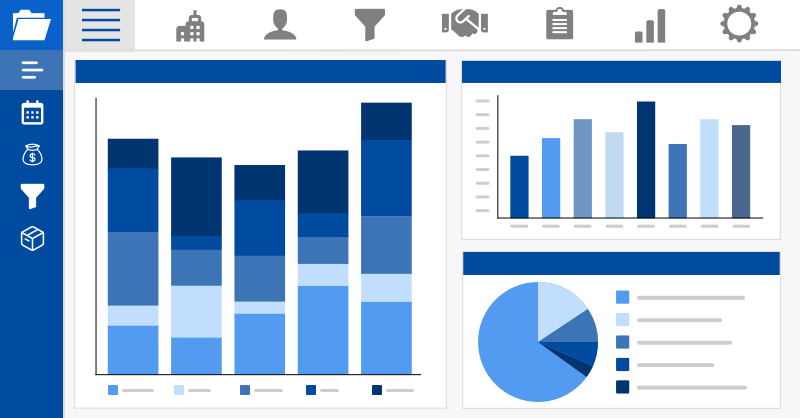
When making a robust solution in FileMaker that you want to suit your needs best, it’s important to consider the app's purpose and projected user pool. Thankfully, with the addition of a system dashboard to your FileMaker project, you gain a fast and user-friendly way to present the data of each user without the need for slow and bulky found sets. Includes a video and sample file. Read the full article here.
As a result of the recent investments that Claris has made in their products and platform, they have decided to increase licensing costs for all customers starting September 24, 2022 in order to continue providing value, creating efficiency, and delivering better customer experiences for organizations. Renew your license by September 23, 2022 to save money! Get more information about the pricing changes here.
After releasing its highly-successful Problem Solvers Circle program last quarter, Claris has expanded its licensing offerings with another exclusive program: Claris Platform Bundle. This program gives your organization the freedom to explore, build, and test new solutions with full access to the suite of Claris products. We explore the benefits and use cases for each program in our article.
In today's world, one of the fastest and most effective ways to reach your customers is through text messaging. With Message Media integrated into your FileMaker solution, you can contact any potential prospects or existing customers with minimal effort, right on their mobile devices. Includes a video and sample file. Read the full article and download the sample file here.
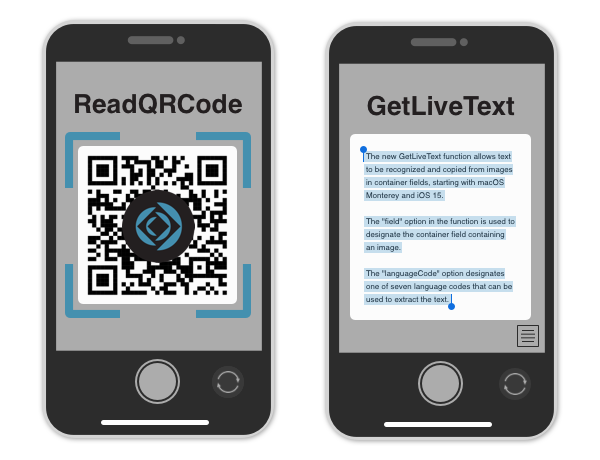
With the release of Claris FileMaker 19.5, there are some new functions related to containers that offer new ways to increase efficiency, accessibility, and utility in app development. Learn about two new functions coming to FileMaker Pro 19.5 that open up new options for using containers both on desktop and on mobile. Includes a video and sample file. Read the full article here.
Backups are an integral part of any database system, ensuring your information is safe and up-to-date in the event of system failures and crashes. Until now, Claris FileMaker Server has used a one-by-one approach for backing up files, but FileMaker Server 19.5 has introduced the ability to enable parallel backups, and it's a game-changer. Includes video. Read the full article here.
UPS not only delivers your packages with quality, but they also offer an API to streamline any shipping needs that you may have for your company or application. With their API integrated into your FileMaker software, you can validate addresses, check shipping costs, compare delivery services and rates, print labels, track packages, and much more in one consolidated package. Includes a video and sample file. Read the full article here.
Twilio is a leading cloud communications platform that works well for both reaching out to customers and receiving communications. Learn how to integrate Twilio with FileMaker using webhooks and a few lines of code to notify you via a screen pop when you receive an incoming call from Twilio. Includes a video and sample file. Read the full article here.
Companies that use both FileMaker and ShipStation often find themselves transferring data back and forth between systems. In this article, we will demonstrate how you can eliminate the hassle of manually creating or updating your order by integrating your FileMaker solution with ShipStation. Includes a video and sample file. Read the full article here.
ActiveCampaign is a popular automation platform that lets you easily standardize your workflows, boasting dozens of ways it can prove useful to almost any business. We show you how to integrate ActiveCampaign with FileMaker to automate your workflows. Includes a video and sample file. Read the full article here.
FileMaker Server has been able to use Amazon, Google, and Microsoft as an identity provider for the last two versions. While a great addition to the platform, it did limit your choices for OAuth identity providers. We will show you how to deploy a custom OAuth authentication workflow utilizing Salesforce. Includes demo video. Read the full article here.
Google offers a plethora of APIs to integrate different Maps features in custom solutions, including polygons. In this article, we will demonstrate how to display important geographic information in your FileMaker solution using the Google Maps JavaScript API polygons feature. Includes a video and sample file. Read the full article here.
Companies that use both FileMaker and Mailchimp often find themselves doing double data entry from one system to the next. In this article, we will demonstrate how you can eliminate the hassle of manually updating your email lists by integrating your FileMaker solution with Mailchimp. Includes a video and sample file. Read the full article here.
With easy and secure access to content, it's easy to see why Google Drive is a top choice for over a billion people worldwide for file and content sharing and collaboration. We demo how to seamlessly share files across FileMaker and Google Drive with our step-by-step integration. Includes tutorial video and demo file. Read the full article here.

Important Information

By using this site, you agree to our Terms of Use.

Configure browser push notifications

Chrome (Android)
  1. Tap the lock icon next to the address bar.
  2. Tap Permissions → Notifications.
  3. Adjust your preference.
Chrome (Desktop)
  1. Click the padlock icon in the address bar.
  2. Select Site settings.
  3. Find Notifications and adjust your preference.