Jump to content
View in the app

A better way to browse. Learn more.

FMForums.com

A full-screen app on your home screen with push notifications, badges and more.

To install this app on iOS and iPadOS
  1. Tap the Share icon in Safari
  2. Scroll the menu and tap Add to Home Screen.
  3. Tap Add in the top-right corner.
To install this app on Android
  1. Tap the 3-dot menu (⋮) in the top-right corner of the browser.
  2. Tap Add to Home screen or Install app.
  3. Confirm by tapping Install.
  • Entries

    110
  • Comments

    7
  • Views

    86,568

About this blog

Brought to you by Digital Fusion Ltd. http://www.filemakerweetbicks.com

Entries in this blog

Greetings all,   Dynamically sorting portals has always been a struggle for FileMaker Developers — in this new #FileMaker Weetbicks article we introduce a method using Value Lists which avoids unstored calculations and is compatible with FileMaker Server's ability to sort records. We also go in depth on the journey to come up with this approach and along the way you may just learn a bit about Value Lists and how they can be sorted, along with some of the challenges involved. Read
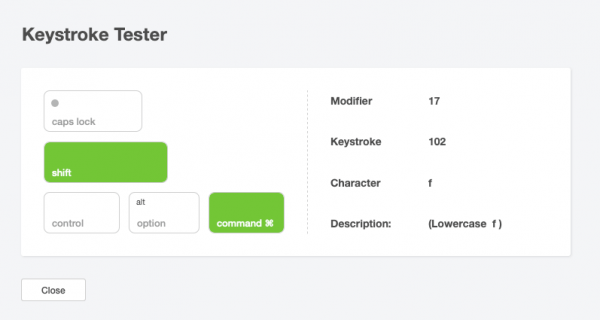
Hi all, Part 3 in our Best of 2021 series is a little utility I built to help developers interrogate pressed keystrokes and modifier keys - very useful when writing scripts where modifiers or keystrokes are used. You can check it out below. Stay tuned for the final 2 articles coming in the next few weeks. Check out the article here Regards, Daniel

Important Information

By using this site, you agree to our Terms of Use.

Configure browser push notifications

Chrome (Android)
  1. Tap the lock icon next to the address bar.
  2. Tap Permissions → Notifications.
  3. Adjust your preference.
Chrome (Desktop)
  1. Click the padlock icon in the address bar.
  2. Select Site settings.
  3. Find Notifications and adjust your preference.