

Jump to content
View in the app

A better way to browse. Learn more.

FMForums.com

A full-screen app on your home screen with push notifications, badges and more.

To install this app on iOS and iPadOS
  1. Tap the Share icon in Safari
  2. Scroll the menu and tap Add to Home Screen.
  3. Tap Add in the top-right corner.
To install this app on Android
  1. Tap the 3-dot menu (⋮) in the top-right corner of the browser.
  2. Tap Add to Home screen or Install app.
  3. Confirm by tapping Install.

Sudoku for FileMaker

(0 reviews)

Travis Spangle has posted a great example file showing Sudoku in FileMaker. It includes a couple example screens for those of us who didn’t grow up playing Brain Age (guilty).
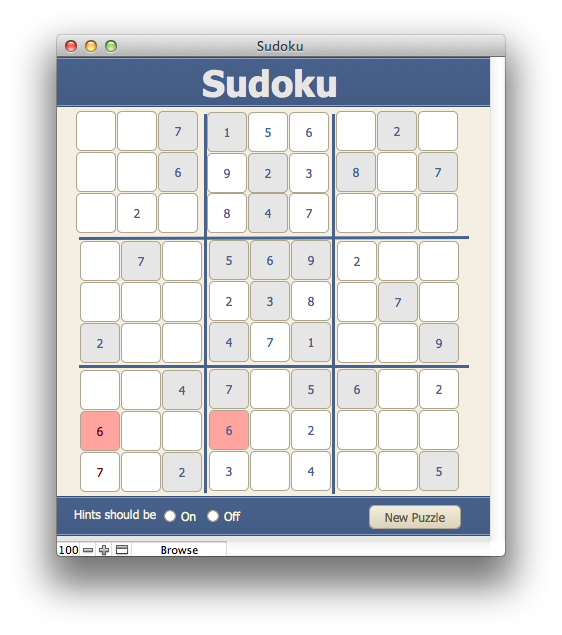
Sudoku2

Dowload the unlocked file here: filemaker-sudoku.

Thanks for this, Travis!

Travis is a member of FileMaker Seattle where he’s also presented some great stuff comparing the speed trade-off of different architectures in his reporting solutions. If you’re in Seattle, our next meeting is this Tuesday where Cosma from torquedb.com will be speaking about deployment options on Amazon Web Services. Feel free to stop in.

The post Sudoku for FileMaker appeared first on SeedCode.


Source

0 Comments

Recommended Comments

There are no comments to display.

Important Information

By using this site, you agree to our Terms of Use.

Configure browser push notifications

Chrome (Android)
  1. Tap the lock icon next to the address bar.
  2. Tap Permissions → Notifications.
  3. Adjust your preference.
Chrome (Desktop)
  1. Click the padlock icon in the address bar.
  2. Select Site settings.
  3. Find Notifications and adjust your preference.