

Jump to content
View in the app

A better way to browse. Learn more.

FMForums.com

A full-screen app on your home screen with push notifications, badges and more.

To install this app on iOS and iPadOS
  1. Tap the Share icon in Safari
  2. Scroll the menu and tap Add to Home Screen.
  3. Tap Add in the top-right corner.
To install this app on Android
  1. Tap the 3-dot menu (⋮) in the top-right corner of the browser.
  2. Tap Add to Home screen or Install app.
  3. Confirm by tapping Install.

Modding a Zync’ed File

(0 reviews)

GoZync can be a little tricky to add to your file, this is why many people build out from our example FMGo file, and why we offer implementation packages to do it for you. Once it’s in, however, GoZync is quite easy to extend. It is a framework, after all, and we built it to be extensible.

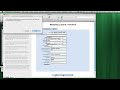
We anticipated that you’d add fields to mobile solutions you already deployed–thus GoZync can deliver new builds to your users–and we made it easy to add fields to mappings you’ve already established. This video shows how easy it is to add a field to a zync’ed solution. The video also demonstrates the zync working in FileMaker Pro (GoZync can sync zync data between Pro and Server just as it does between Go and Server.) Check it out…
2.jpg

588 588 588 588 588 588 588 b.gif?host=seedcodenext.wordpress.com&bl

Source

0 Comments

Recommended Comments

There are no comments to display.

Important Information

By using this site, you agree to our Terms of Use.

Account

Navigation

Search

Configure browser push notifications

Chrome (Android)
  1. Tap the lock icon next to the address bar.
  2. Tap Permissions → Notifications.
  3. Adjust your preference.
Chrome (Desktop)
  1. Click the padlock icon in the address bar.
  2. Select Site settings.
  3. Find Notifications and adjust your preference.