

Jump to content
View in the app

A better way to browse. Learn more.

FMForums.com

A full-screen app on your home screen with push notifications, badges and more.

To install this app on iOS and iPadOS
  1. Tap the Share icon in Safari
  2. Scroll the menu and tap Add to Home Screen.
  3. Tap Add in the top-right corner.
To install this app on Android
  1. Tap the 3-dot menu (⋮) in the top-right corner of the browser.
  2. Tap Add to Home screen or Install app.
  3. Confirm by tapping Install.

Skeleton Key - Path to Certification : When the Student is Ready...

(0 reviews)

Path to Certification : When the Student is Ready...

As part of my recent on-boarding process at Skeleton Key, I immediately began training for FileMaker certification. Fast forward 2 months, I am FileMaker Certified in 10 and 11.
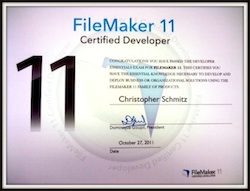
Chris_Schmitz-framed-250.jpg

My training consisted of four main interactive methods:

  • Absorbing the FileMaker Training Series book
  • Participating in FileMaker-specific webinars
  • Receiving one-on-one FileMaker Coaching
  • Researching 'FileMaker' to broaden my scope on topic details not expanded on in other study materials

Together, these methods prepared me for both tests, each within a week of each other. I’ll take you through each method after I talk about experience

read more

Source

0 Comments

Recommended Comments

There are no comments to display.

Important Information

By using this site, you agree to our Terms of Use.

Configure browser push notifications

Chrome (Android)
  1. Tap the lock icon next to the address bar.
  2. Tap Permissions → Notifications.
  3. Adjust your preference.
Chrome (Desktop)
  1. Click the padlock icon in the address bar.
  2. Select Site settings.
  3. Find Notifications and adjust your preference.