

Jump to content
View in the app

A better way to browse. Learn more.

FMForums.com

A full-screen app on your home screen with push notifications, badges and more.

To install this app on iOS and iPadOS
  1. Tap the Share icon in Safari
  2. Scroll the menu and tap Add to Home Screen.
  3. Tap Add in the top-right corner.
To install this app on Android
  1. Tap the 3-dot menu (⋮) in the top-right corner of the browser.
  2. Tap Add to Home screen or Install app.
  3. Confirm by tapping Install.

ExecuteSQL Function | FileMaker Business Alliance Company | FileMaker Academy | Skeleton Key | Q&A

(0 reviews)

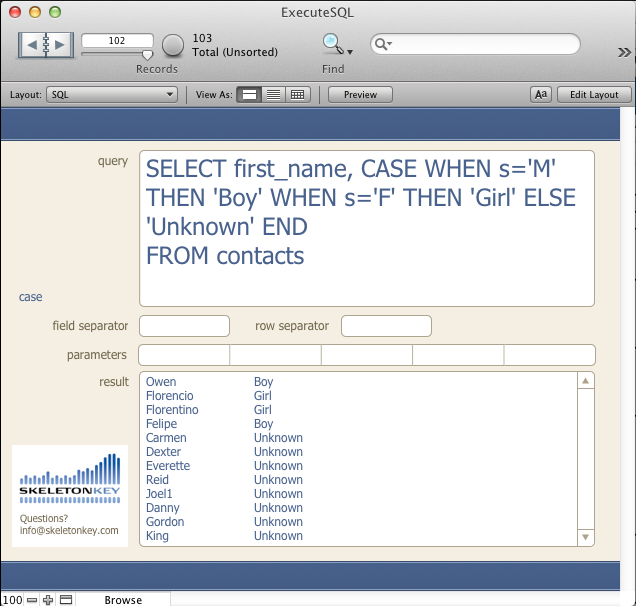
ExecuteSQL Function - FileMaker 12 Web Series Follow Up Q&A

I was overwhelmed by the positive response to my 12 Days of FileMaker 12 - ExecuteSQL webinar. We received a lot of great questions during the session. I've included answers below for all of the questions we weren't able to address during the webinar. If you still have a question, feel free to contact us.

Thanks to everyone who participated live or via the recording. If you missed it, you can still catch the recording at FM Academy or download the example file.
GL_BlogImage_202-06-20.png

read more

Source

0 Comments

Recommended Comments

There are no comments to display.

Important Information

By using this site, you agree to our Terms of Use.

Configure browser push notifications

Chrome (Android)
  1. Tap the lock icon next to the address bar.
  2. Tap Permissions → Notifications.
  3. Adjust your preference.
Chrome (Desktop)
  1. Click the padlock icon in the address bar.
  2. Select Site settings.
  3. Find Notifications and adjust your preference.