

Jump to content
View in the app

A better way to browse. Learn more.

FMForums.com

A full-screen app on your home screen with push notifications, badges and more.

To install this app on iOS and iPadOS
  1. Tap the Share icon in Safari
  2. Scroll the menu and tap Add to Home Screen.
  3. Tap Add in the top-right corner.
To install this app on Android
  1. Tap the 3-dot menu (⋮) in the top-right corner of the browser.
  2. Tap Add to Home screen or Install app.
  3. Confirm by tapping Install.

Workflow in FM Chat: notifications for FileMaker Server

(0 reviews)

The ostensible purpose of FM Chat is “chat” –letting your FileMaker users chat and collaborate in a searchable environment that respects FileMaker’s access privileges.

But we think the killer feature of FM Chat is “workflow” –alerting your users of events, and presenting them opportunities to take action.

We’ve recorded a short movie of a simple example: using FM Chat to send invitations to an event, and record who’s accepted:
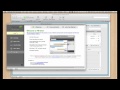
2.jpg

Going Further. While we created the chat by hand in this example, FM Chat can accept chat instructions from script triggers or your own scripts. You can even use FM Chat to log what’s happening to a record for later review.

We think of it as a messaging and notifications engine for FileMaker. What will you do with it?

799 b.gif?host=seedcodenext.wordpress.com&bl

Source

0 Comments

Recommended Comments

There are no comments to display.

Important Information

By using this site, you agree to our Terms of Use.

Configure browser push notifications

Chrome (Android)
  1. Tap the lock icon next to the address bar.
  2. Tap Permissions → Notifications.
  3. Adjust your preference.
Chrome (Desktop)
  1. Click the padlock icon in the address bar.
  2. Select Site settings.
  3. Find Notifications and adjust your preference.