

Jump to content
View in the app

A better way to browse. Learn more.

FMForums.com

A full-screen app on your home screen with push notifications, badges and more.

To install this app on iOS and iPadOS
  1. Tap the Share icon in Safari
  2. Scroll the menu and tap Add to Home Screen.
  3. Tap Add in the top-right corner.
To install this app on Android
  1. Tap the 3-dot menu (⋮) in the top-right corner of the browser.
  2. Tap Add to Home screen or Install app.
  3. Confirm by tapping Install.

FileMaker Server | Module 10 | Training Series | Mark Richman

(0 reviews)

Follow-up to the recent 'FileMaker Training Series: FileMaker Server' Web Seminar
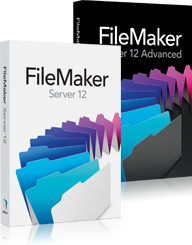
FMI_boxshots_fms12_fms12a.jpg

On Tuesday, October 16th, 2012 I delivered two web seminars for FileMaker Inc. to complete their three-part series on the FileMaker Training Series for FileMaker 12.

This post is my follow-up to that event, and includes links to resources I mentioned during that event, as well as a few relevant Questions & Answers I fielded via email afterwards.

If YOU have any questions that did not get answered during the presentation, please don't hesitate to contact me at your convenience.

read more

Source

0 Comments

Recommended Comments

There are no comments to display.

Important Information

By using this site, you agree to our Terms of Use.

Configure browser push notifications

Chrome (Android)
  1. Tap the lock icon next to the address bar.
  2. Tap Permissions → Notifications.
  3. Adjust your preference.
Chrome (Desktop)
  1. Click the padlock icon in the address bar.
  2. Select Site settings.
  3. Find Notifications and adjust your preference.