




Preview: SeedCode Calendar in Web Direct.

· 1,127 views
Needless to say, we’re pretty psyched about what’s possible in Web Direct…
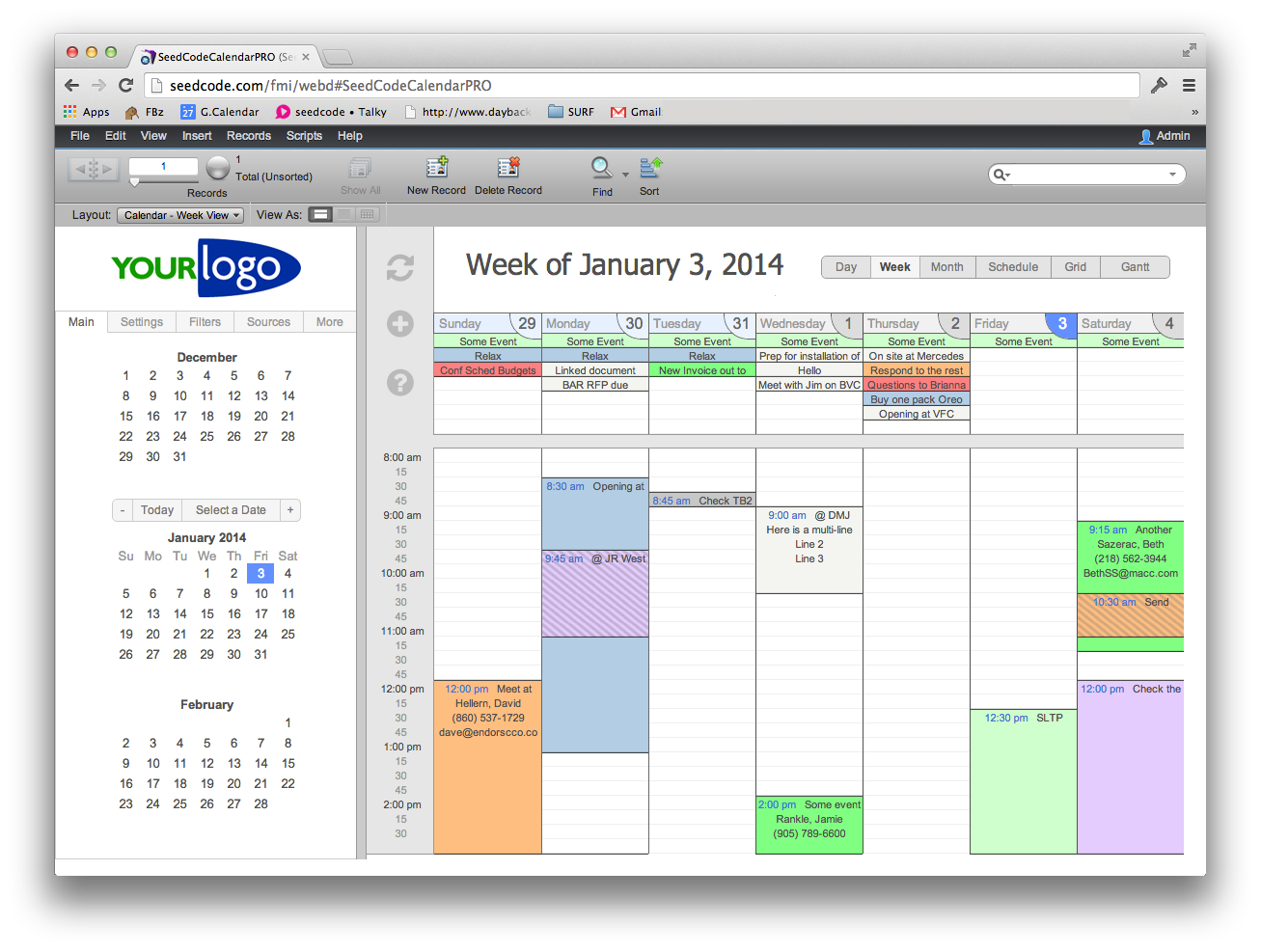
SeedCode’s Pro Calendar in Web Direct
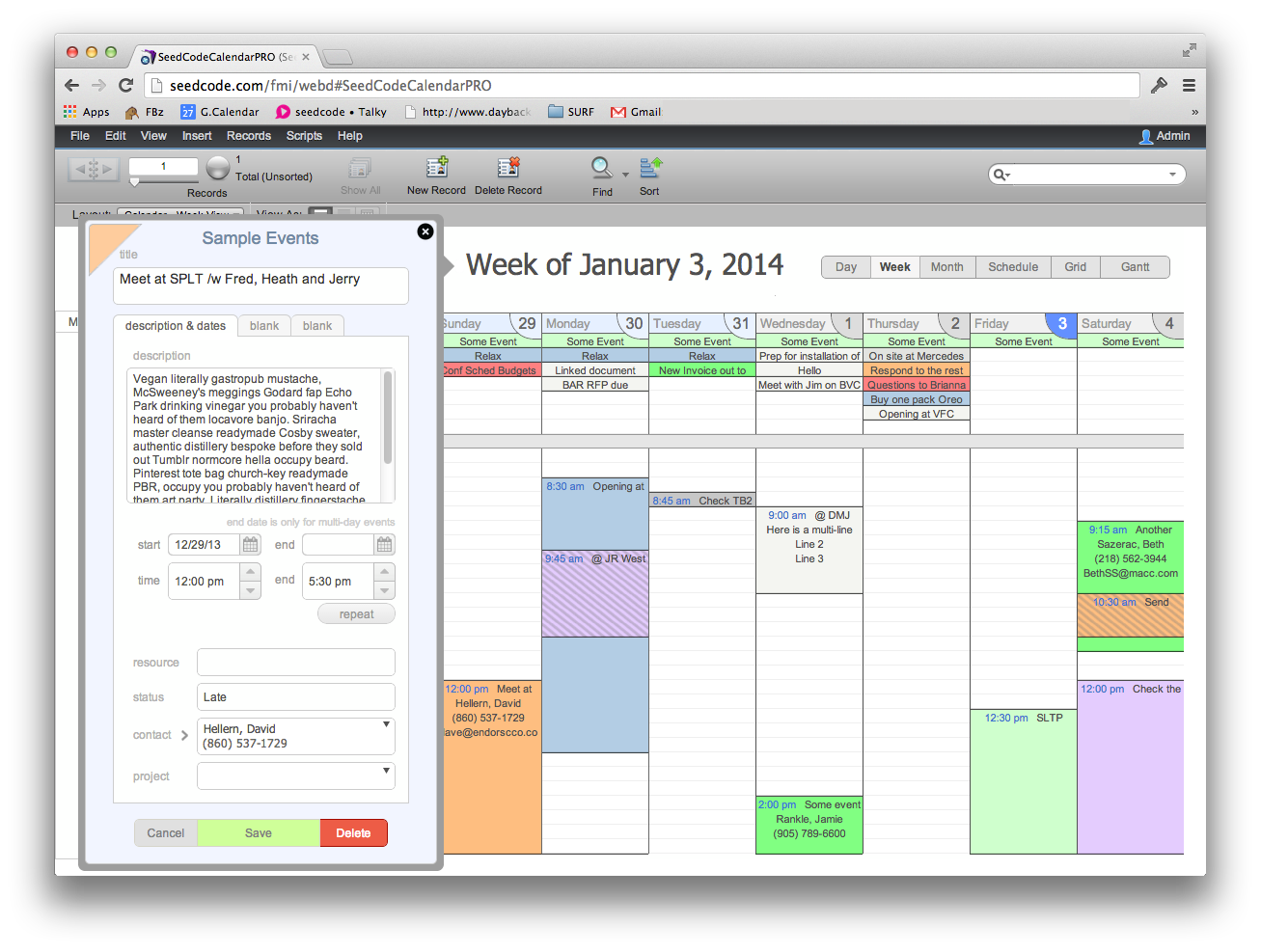
Editing a record in Web Direct.
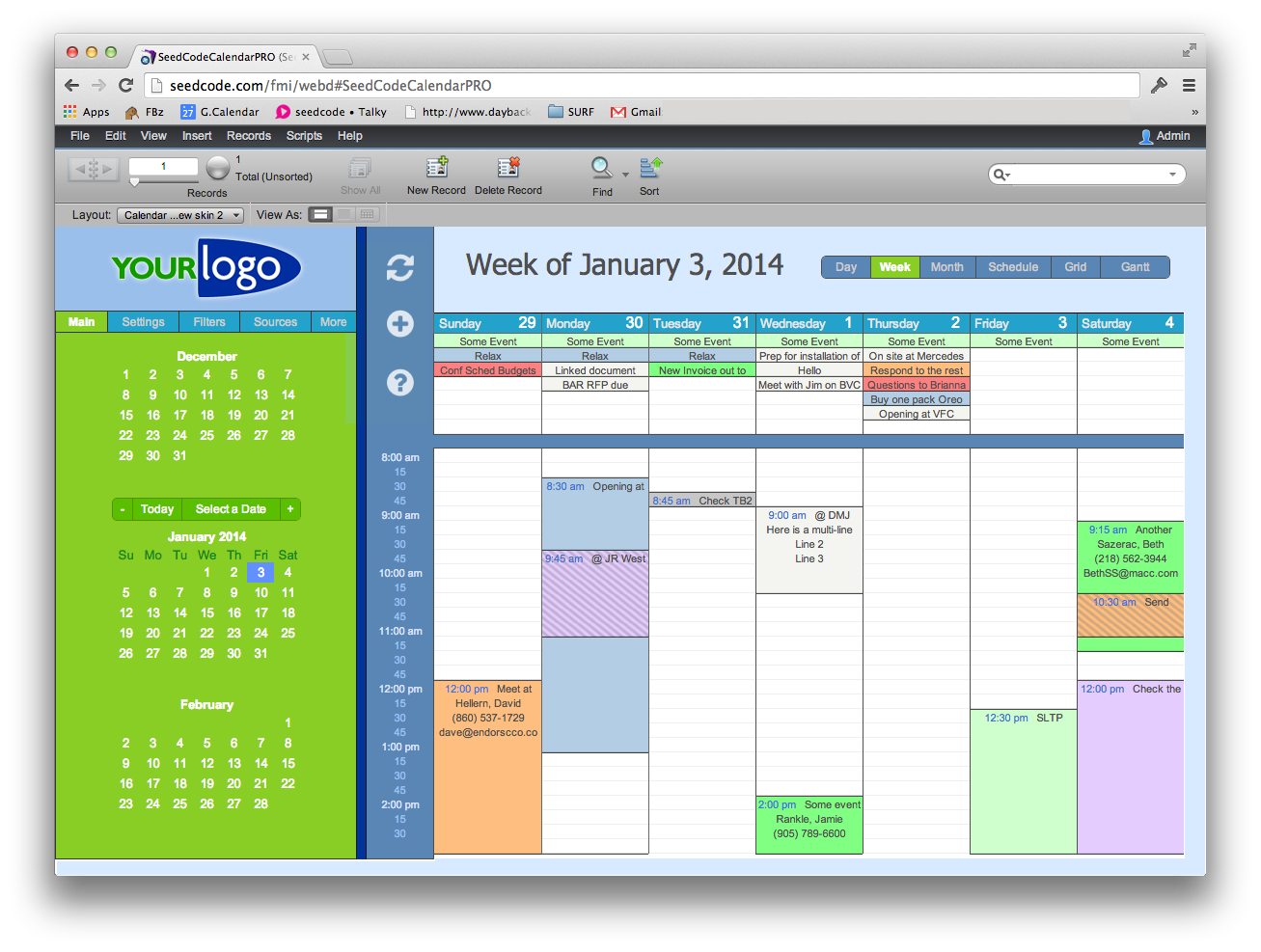
An alternate theme for the Pro Calendar in Web Direct.
Learn more about FileMaker’s Web Direct.
So when can I get it?
I’m Already Using SeedCode Calendar
- Good news: the Web Direct add-on should be available as layouts and scripts you can paste into your existing copy of the Pro Calendar.
- This will be a paid upgrade, but existing users will be able to get it at a discount.
- While we can’t say exactly when this will be ready, look for it in the next month or two.
I’m New to SeedCode
- Buy the Pro Calendar, integrate it with your existing files and use it in FileMaker Pro. You’ll be ready when the Web Direct add-on ships.
- Learn more and download a demo of the Pro Calendar here.
The post Preview: SeedCode Calendar in Web Direct. appeared first on SeedCode.
Source
Recommended Comments