

Jump to content
View in the app

A better way to browse. Learn more.

FMForums.com

A full-screen app on your home screen with push notifications, badges and more.

To install this app on iOS and iPadOS
  1. Tap the Share icon in Safari
  2. Scroll the menu and tap Add to Home Screen.
  3. Tap Add in the top-right corner.
To install this app on Android
  1. Tap the 3-dot menu (⋮) in the top-right corner of the browser.
  2. Tap Add to Home screen or Install app.
  3. Confirm by tapping Install.

5 Screenshots

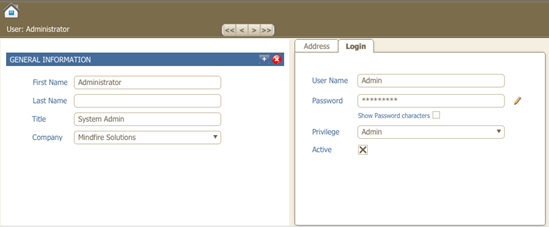
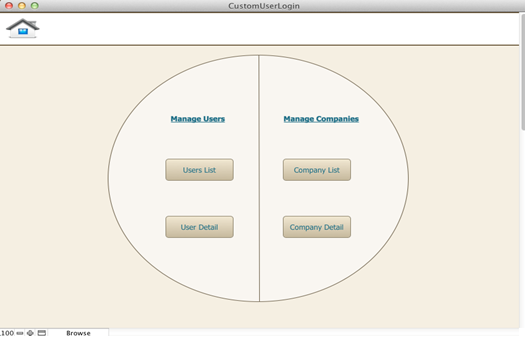
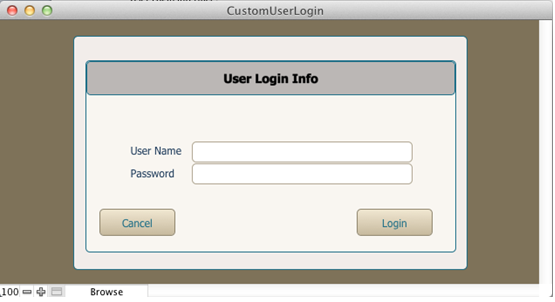
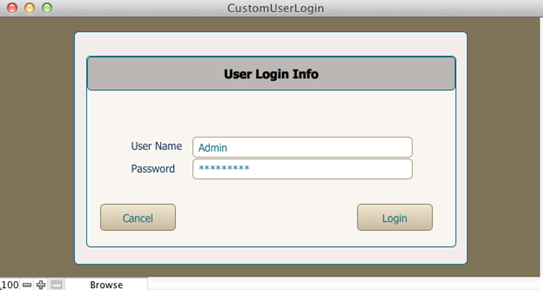
"Custom User Login Template" is a FileMaker Solution that provides user to use custom login process of user rather than to use default FileMaker user login dialogue. The solution is compactable and workable with FileMaker Pro 12.

Silent Features of Custom User Login Template:

- Provides a way to use custom login process without using default FileMaker login dialogue

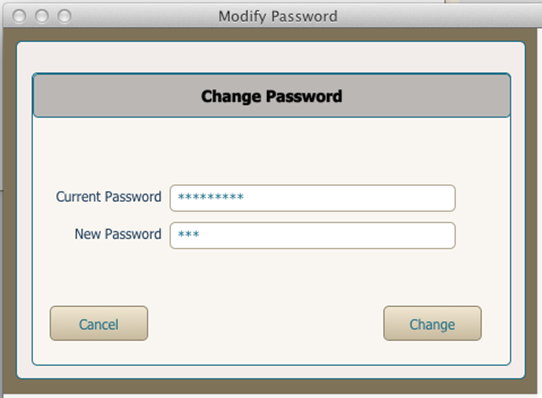
- It also demonstrates how to show password characters as asterisks dynamically while logging in to FM application.

To discuss about our FileMaker service, expertise and how we can help you, please contact us on E-Mail or call 1-248-686-1424.

What's New in Version v1

Released

No changelog available for this version.

Important Information

By using this site, you agree to our Terms of Use.

Configure browser push notifications

Chrome (Android)
  1. Tap the lock icon next to the address bar.
  2. Tap Permissions → Notifications.
  3. Adjust your preference.
Chrome (Desktop)
  1. Click the padlock icon in the address bar.
  2. Select Site settings.
  3. Find Notifications and adjust your preference.