Jump to content
View in the app

A better way to browse. Learn more.

FMForums.com

A full-screen app on your home screen with push notifications, badges and more.

To install this app on iOS and iPadOS
  1. Tap the Share icon in Safari
  2. Scroll the menu and tap Add to Home Screen.
  3. Tap Add in the top-right corner.
To install this app on Android
  1. Tap the 3-dot menu (⋮) in the top-right corner of the browser.
  2. Tap Add to Home screen or Install app.
  3. Confirm by tapping Install.
  • Entries

    212
  • Comments

    13
  • Views

    133,356

About this blog

FileMaker tips, techniques, and news.

Entries in this blog

The release of FileMaker 16 introduces an arsenal of new user interface (UI) updates that professional developers, citizen developers, and interested script kiddies will come to love. These UI updates include animations and transitions, signature capture enhancements, single document interface, and the removal of the bottom bar. https://dbservices.com/articles/user-interface-enhancements-in-filemaker-16/ dbservices.com
FileMaker 16 has introduced new location monitoring features that truly give FileMaker Go the edge by enhancing your app’s ability to take on any location-specific needs. Whether you’re indoors, outdoors, coming, or going, FileMaker can monitor it all. https://dbservices.com/articles/location-monitoring-in-filemaker-go/ dbservices.com
It is no secret that custom applications are immensely beneficial to organizations. The question becomes, should I pay for external experts to create a solution for me, or should we have someone in house build the app. https://dbservices.com/articles/build-or-buy-should-i-learn-filemaker/ dbservices.com
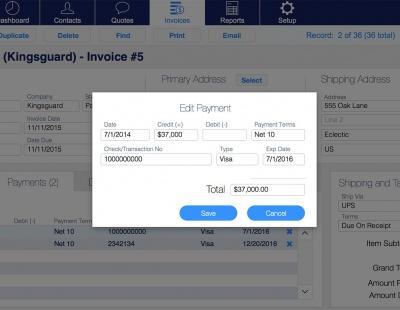
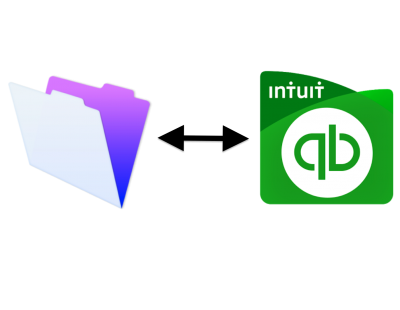
Many companies use both QuickBooks and FileMaker end up having to do double data entry from one system to the next. In this article, we will demonstrate how you can eliminate the hassle of manually copying the information by integrating your FileMaker solution with QuickBooks online. Includes demo and sample file: https://dbservices.com/articles/filemaker-quickbooks-online-integration/ dbservices.com
Have you ever inherited a system built by someone else, changed a field’s name and everything stopped working? The issue, hardcoded names used in indirection, makes the system fragile. FileMaker provides developers many methods to add flexibility using indirection. However when these instances of indirection are not treated properly they will raise all sorts of problems. In this article you will learn best practices regarding indirection that will help you build a dynamic and robust FileMaker sy
Businesses are realizing that off the shelf apps just aren’t meeting the unique organizational and process oriented needs of their company as well as a custom app is able to. Custom apps are helping businesses manage scattered data and processes better than ever. Organizations are more efficient, more effective, want a better way to work, and better insights to make decisions. Learn why there has never been a better time to build a custom app for your organization. https://www.dbservices.com/art
REST APIs are a universal standard for interacting with other programs and services, so by learning REST you can greatly expand the capabilities of what FileMaker can do, and the services it can interact with. If you've ever wanted to integrate FileMaker with Google Maps, Google Calendar, Microsoft SharePoint, or many other great services, you'll want to learn what RESTful APIs are and how to use them. Includes video and sample download file. https://www.dbservices.com/articles/integrating-filem
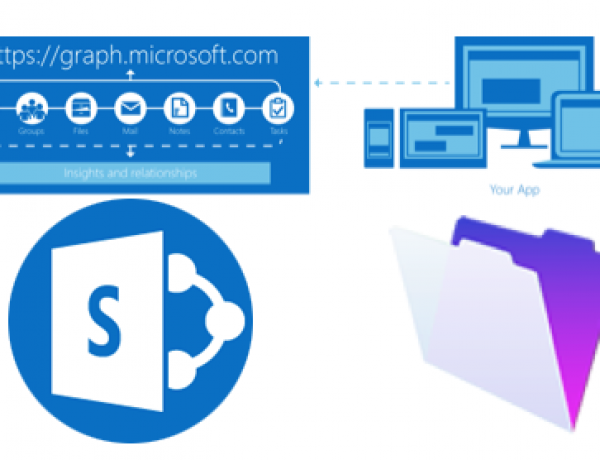
Do you have documents that need to be shared on multiple platforms? Learn how to integrate FileMaker with SharePoint via Microsoft Graph API. Includes a free sample file and demo: https://www.dbservices.com/articles/integrating-filemaker-and-sharepoint-using-microsoft-graph/ www.dbservices.com
Have you heard of the new addition to the FileMaker family, FileMaker Cloud? Learn more in our overview which also includes a demo of the setup! There are a lot of reasons that FileMaker Cloud would be a great fit for you and your organization, between minimal impact of IT staff and/or technical staff for doing updates and deployment, to the benefits of AWS responsible for security and scalability, FileMaker Cloud is a huge benefit and addition to the FileMaker Family. https://www.dbservice
With the power of Zapier, different applications can be integrated into your FileMaker solution and overall business with ease. Learn how to integrate Salesforce with FileMaker. Free download included with video example. https://www.dbservices.com/articles/integrating-filemaker-and-salesforce-using-zapier/ dbservices.com
Keep your users informed with the use of simple notifications. Using FileMaker and a service called Pushover we can easily leverage cross platform notifications with advanced features like message priority, which allows you to repeat a notification until the user acknowledges it. Free demo included: https://www.dbservices.com/articles/filemaker-cross-platform-notifications/ dbservices.com
The Portal In-Line Progress Bar, one of FileMaker 15’s new performance-based features, brings with it the separation of a layout’s non-portal and portal rendering tasks. This means users are no longer forced to wait for cumbersome portals to load before being able to interact with a window’s content. https://www.dbservices.com/articles/filemaker-portal-in-line-progress-bar/ dbservices.com
FileMaker Server Top Call Statistics Log gives the ability to track the heaviest client usage periods, pinpointing the client requests that take the longest, allowing to quickly and efficiently investigate. Learn more and watch the video here: https://www.dbservices.com/articles/filemaker-server-top-call-logging/ dbservices.com
FileMaker 15 provides us with the ability to interact with iBeacon devices using FileMaker Go. This means with some setup we can associate data in our FileMaker solution with physical locations and have our iOS devices access them via the iBeacon technology. Free Sample File included. https://www.dbservices.com/articles/filemaker-beacons/ dbservices.com

Important Information

By using this site, you agree to our Terms of Use.

Configure browser push notifications

Chrome (Android)
  1. Tap the lock icon next to the address bar.
  2. Tap Permissions → Notifications.
  3. Adjust your preference.
Chrome (Desktop)
  1. Click the padlock icon in the address bar.
  2. Select Site settings.
  3. Find Notifications and adjust your preference.