

Jump to content
View in the app

A better way to browse. Learn more.

FMForums.com

A full-screen app on your home screen with push notifications, badges and more.

To install this app on iOS and iPadOS
  1. Tap the Share icon in Safari
  2. Scroll the menu and tap Add to Home Screen.
  3. Tap Add in the top-right corner.
To install this app on Android
  1. Tap the 3-dot menu (⋮) in the top-right corner of the browser.
  2. Tap Add to Home screen or Install app.
  3. Confirm by tapping Install.

Drag & Drop Example File

(0 reviews)

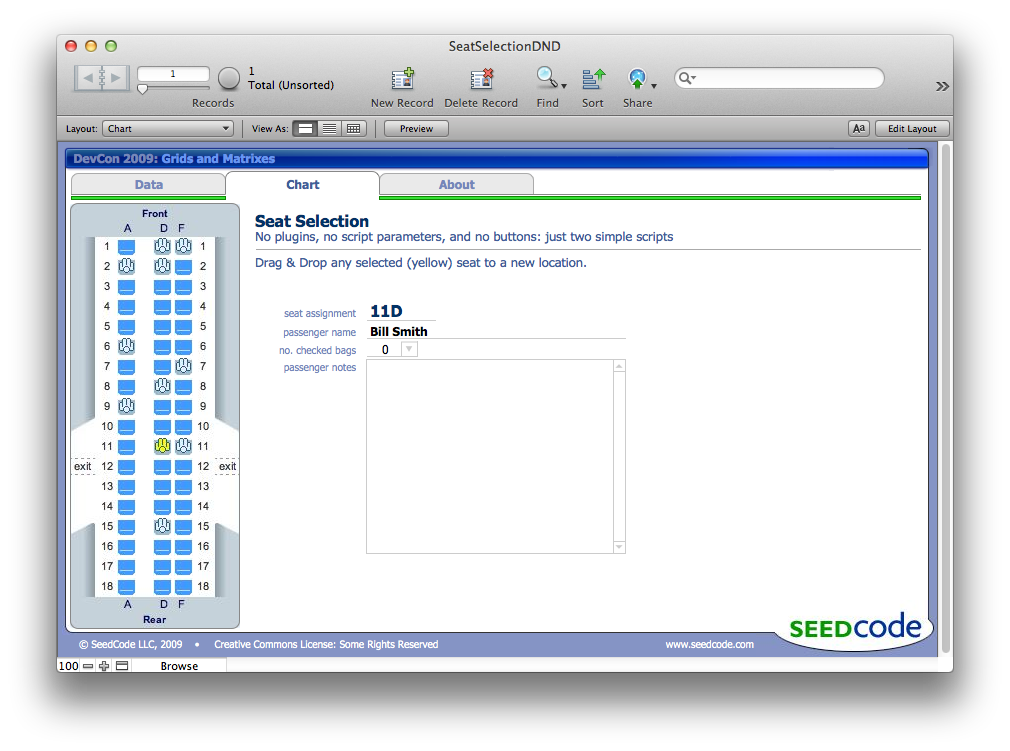
Love this little demo we put together for FileMaker DevCon 2009. A customer recently asked about this and I thought folks might like to see it. The demo shows how to create a grid of buttons without having to use different script parameters on all the different buttons. It’s also a tidy example of scripts used in drag and drop.

Enjoy!
CellDownload “Drag & Drop Example File: Airplane Seating Demo” from www.seedcode.com/downloads

Oh, and check out that cell phone icon on About / Contact Us… it was 2009, LOL.
 

PlainExamplFile

The post Drag & Drop Example File appeared first on SeedCode.


Source

1 Comment

Recommended Comments

Kevin Mullins

Members

Thanks for the repost John.

Important Information

By using this site, you agree to our Terms of Use.

Account

Navigation

Search

Configure browser push notifications

Chrome (Android)
  1. Tap the lock icon next to the address bar.
  2. Tap Permissions → Notifications.
  3. Adjust your preference.
Chrome (Desktop)
  1. Click the padlock icon in the address bar.
  2. Select Site settings.
  3. Find Notifications and adjust your preference.