

Jump to content
View in the app

A better way to browse. Learn more.

FMForums.com

A full-screen app on your home screen with push notifications, badges and more.

To install this app on iOS and iPadOS
  1. Tap the Share icon in Safari
  2. Scroll the menu and tap Add to Home Screen.
  3. Tap Add in the top-right corner.
To install this app on Android
  1. Tap the 3-dot menu (⋮) in the top-right corner of the browser.
  2. Tap Add to Home screen or Install app.
  3. Confirm by tapping Install.

1 Screenshot

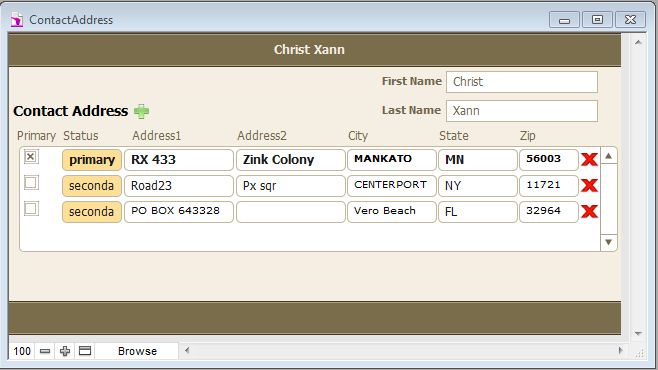
Its a simple solution to sort a portal with desire flagging. Here its a Contacts and contacts address relationship database where this files give a solution for following objectives:

1. Only One Address can be the primary address with all the other ones automatically flagged as Secondary.

2. When the first Address is created, it is automatically flagged as a primary address.

3. If there are multiple addresses, only one can be Primary.

4. When an address is changed to primary, all the other addresses related to the particular contact must be changed to secondary.

5. When viewing the related addresses within a Portal in the contact Database, They must be sorted so that the primary address is always on top

Important Information

By using this site, you agree to our Terms of Use.

Configure browser push notifications

Chrome (Android)
  1. Tap the lock icon next to the address bar.
  2. Tap Permissions → Notifications.
  3. Adjust your preference.
Chrome (Desktop)
  1. Click the padlock icon in the address bar.
  2. Select Site settings.
  3. Find Notifications and adjust your preference.