


Jump to content
View in the app

A better way to browse. Learn more.

FMForums.com

A full-screen app on your home screen with push notifications, badges and more.

To install this app on iOS and iPadOS
  1. Tap the Share icon in Safari
  2. Scroll the menu and tap Add to Home Screen.
  3. Tap Add in the top-right corner.
To install this app on Android
  1. Tap the 3-dot menu (⋮) in the top-right corner of the browser.
  2. Tap Add to Home screen or Install app.
  3. Confirm by tapping Install.

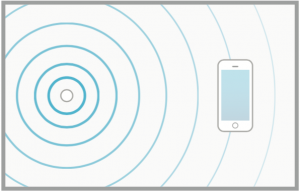
FileMaker 15 provides us with the ability to interact with iBeacon devices using FileMaker Go. This means with some setup we can associate data in our FileMaker solution with physical locations and have our iOS devices access them via the iBeacon technology. Free Sample File included. https://www.dbservices.com/articles/filemaker-beacons/
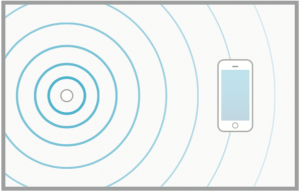
Beacon-Sends-Signal-to-Phone.png
dbservices.com

Edited by dbservices

1 Comment

Recommended Comments

fmbiz.net

Members

Hello,

I noticed that FileMaker Go will cache the iBeacon information it finds when using the rangebeacon() function. Is there a way to clear this information other than closing FileMaker Go?

Best Regards,

Charlie M.

Important Information

By using this site, you agree to our Terms of Use.

Configure browser push notifications

Chrome (Android)
  1. Tap the lock icon next to the address bar.
  2. Tap Permissions → Notifications.
  3. Adjust your preference.
Chrome (Desktop)
  1. Click the padlock icon in the address bar.
  2. Select Site settings.
  3. Find Notifications and adjust your preference.