Welcome to our community, full of great ideas on developing your FileMaker solutions effectively,
for peer-to-peer support of the FileMaker Platform and related products and services.
For the first time, DB Services has been ranked #3494 on the annual Inc. 5000 list, which ranks the country’s “fastest-growing innovators” based on overall revenue growth over a three-year period. The Inc. 5000 list has brought attention to America’s growing private businesses since 1982.
DB Services now joins the ranks of other Inc. 5000 list alumni such as Facebook, Zappos, Pandora, and others. DB Services is top ranked FileMaker Platinum Business Alliance Partner on the 2019 Inc. 5000 li
The FileMaker Let function is your tool to make a calculation readable, well formatted and easy to debug. Let us discuss how it can be used.
The post Like a Boss: Let us Discuss the FileMaker Let Function appeared first on Geist Interactive.
View the full article
The FileMaker Script Debugger is powerful. Its features are often overlooked. In this post we examine the buttons that control stepping through a script.
The post Like a Boss: Using the Script Debugger to its Full Potential appeared first on Geist Interactive.
View the full article
Part 2: What Should You Consider When Selecting a Development Partner? What Questions Might You Ask a Potential Developer?
Hiring a developer is about creating a working relationship. You want someone who gets your business and gets you. Having a good working relationship often determines the success or failure of a development project. Hire someone you are comfortable with who also has the skills necessary to make your project successful. Beyond the quality of the working relationsh
FileMaker Kanban is the latest tool that offers familiar functionality for users and flexibility for the developer. It offers great functionality and organizes your data visually into lanes and cards.
The post FileMaker Kanban: Organize Your Data appeared first on Geist Interactive.
View the full article
Who doesn't want their software to perform as efficiently and as quickly as possible. Don't we always want things to go faster and work better?
Of course we do. The problem is, we don't always take the time to fully think out what is happening when we solve a problem. Sometimes, we just robot our way through the code we are creating because it's how we've always done it - and it's easy or faster.
Being an "efficiency nut", when it comes to code, is something I really enjoy. It represents the f
Data Destruction Done Right!
eXcelisys Builds Monitoring Tool to Track & Audit Disk-Wiping Process
When banks, insurance companies, and health-care systems get the urge to purge, they call Archive Data Solutions. With a home base in Westerville, Ohio, Archive Data Solutions dispatches techs nationwide to wipe sensitive data from decommissioned hard drives and SSDs when they reach end-of-life.
“It’s not rocket science,” said Andy Haenszel of Archive Data Solutions, “but it can be overwhe
On August 5th, 2020, DB Services was named the Claris Excellence Award FileMaker Growth Partner of the Year for the Americas for 2020. This is DB Services 4th consecutive year bringing home the award from Claris International, Inc. The award is presented annually to each region’s Claris partner that achieves the highest revenue and brand growth for Claris. https://dbservices.com/articles/db-services-named-filemaker-partner-of-the-year/
dbservices.com
DB Services is continuing the Surveys for Success program by donating to UNITY Performing Arts Foundation for every survey received. The Surveys for Success program chooses a non-profit organization each quarter, and for each survey received during this time, $10 is donated to the chosen organization. The UNITY Performing Arts Foundation provides award-winning after-school programs to youth in the Fort Wayne, IN area. https://dbservices.com/articles/surveys-for-success-unity/
dbservic
DB Services has been ranked #20 on the Indianapolis Business Journal Fast 25 list of the fastest growing private companies in Indianapolis! https://dbservices.com/articles/db-services-ranked-on-ibj-fast-25/
dbservices.com
Claris Connect is unique in its Approvals offering. This lets you process approval requests by email, then trigger additional follow up actions from Claris Connect. Here we take a closer look at the Approval features, how easy it is to set up one-click approvals for your business, and show a demo triggering approval requests from FileMaker: https://dbservices.com/articles/claris-connect-and-filemaker-approvals/
dbservices.com
BackBlaze is a large scale cloud storage platform where you can store and retrieve large amounts of data at an affordable rate. BackBlaze's B2 Cloud Storage API allows you to offload large amounts of file data from your FileMaker solution to the cloud, keeping your data size down and providing easy access to your files on the web. This article includes a tutorial video and free sample file: https://dbservices.com/articles/filemaker-backblaze-integration/
dbservices.com
Claris Connect, the no-code platform from Claris International, allows users to rapidly connect multiple cloud services together, including FileMaker and QuickBooks Online. Learn how your organization can eliminate double data entry and reduce user error in a few quick steps! Includes tutorial video and free sample file.
dbservices.com
Upgrade your app in a matter of minutes with the FileMaker Solution Upgrade Tool, a new command line tool that makes it easy to roll out enhancements. This article includes a tutorial video and free sample file.
dbservices.com
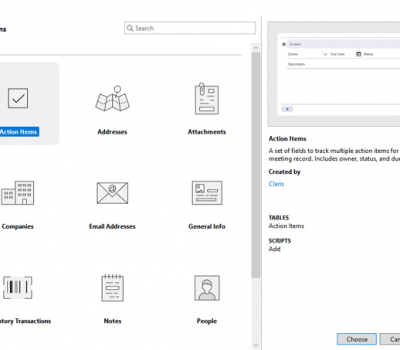
Using add-ons makes installing features in your custom FileMaker solution faster and easier than ever before. You can install pre-made add-ons, or create your own, saving time and effort. This article includes a tutorial video and free sample file: https://dbservices.com/articles/creating-filemaker-add-ons/
dbservices.com
Integrating NFC is easy with FileMaker Go. With a single script step, you can configure NFC readings to make instant mobile payments, share contact details, or scan #smart objects. This article includes a tutorial video and free sample file: https://dbservices.com/articles/nfc-tag-reading-in-filemaker-go/
dbervices.com
With the release of FileMaker Go 19, Siri Shortcuts can take you directly to the FileMaker features you need before you've even opened the app! Learn more about Siri Shortcuts and how you can execute your favorite FileMaker Go features with a voice command or a single tap. This article includes a tutorial video and free sample file: https://dbservices.com/articles/siri-shortcuts-in-filemaker-go/
dbservices.com
Leveraging FileMaker's machine learning capabilities is now easier than ever! Speed up time-consuming tasks by teaching your machine to make decisions on its own, using an existing model from Apple's CoreML library or build your own in Create ML. Check out our tutorial and free sample file to see artificial intelligence in action: https://dbservices.com/articles/filemaker-machine-learning-using-coreml/
dbservices.com
Airtable: If FileMaker and Google Sheets Had a Baby
A Die-hard FileMaker Developer & Airtable Skeptic Takes a Peek Inside
by Kurt Knippel, eXcelisys VP of Production
What is Airtable?
Airtable touts itself as the ultimate “organize anything, with anyone, from anywhere” tool. A relative newcomer to the cloud-based, no-code development sphere, Airtable’s valuation is projected to surpass $2.5 billion this year, as the company weighs a new round of venture funding. Clearly, this next-g
Hello Everyone, We’re giving away four Blue Feather mugs as a thank you to the people helping us test CloudContainer. To be eligible, register for a CloudContainer account here and connect your CloudContainer to the storage provider of your choice (such as Amazon S3, Backblaze, Wasabi, etc.) by generating an API key and secret key …
Mug raffle for CloudContainer beta testers Read More »
The post Mug raffle for CloudContainer beta testers appeared first on Blue Feather.
View the full article
On this very afternoon, the day before Claris Engage 2020, we pause to contemplate all that’s going to happen in the next few days. While we will miss seeing old friends or meeting new friends in the hotel lobby, at the fireplace, or sipping on a cocktail at the hotel bar, we are excited about […]
The post Geist Interactive Celebrates Claris Engage 2020 appeared first on Geist Interactive.
View the full article
In this 2-part series, we’re going to take a look at various JSON-related topics, including a bug fix in FM 19, two free web services that return useful information in JSON format, and several ways to parse a found set into a JSON object. Fixed in 19: JSON validation bug In FM 18 (but not… Continue reading A JSON Miscellany, part 1
View the full article
We at Geist Interactive are thrilled to be a part of the first ever Claris Engage, in this year 2020. Though this first event is a virtual one, we will be part of the the event in the 1’s and 0’s that make up cyberspace. There’s a lot going on, so let’s take a moment […]
The post Geist Interactive @ Claris Engage 2020 appeared first on Geist Interactive.
View the full article
Even though your "database" includes the word "data", data isn't the only thing we categorize and track. We often need to track discrete files and FileMaker is perfectly adept at doing this. In fact, FileMaker's container field is ideally suited to store all kinds of different files.
The problem, however, is simply throwing a container field onto your layout is never really a good idea. If you allow users to simply drop anything into a container, then you'll surely end up with a collection of d
Fun with FileMaker: This Stacking Game will Knock Your Block Off!
eXcelisys Developer Mixes Work & Leisure Creating Block-Stacking Game
by Paul Spafford, eXcelisys FileMaker Developer
One weekend, I had a little fun creating a game in FileMaker. It happened in the usual way: I was playing a free game on my iPad, but it was a bit glitchy. I thought, “I can do better.”
I decided that keeping all elements as simple as possible was the way to go, so while there are some tricky bits, it’s m
Money For every business, it all comes down to money. The successful ones know where the money is spent and the benefits those investments provide. Expenditures must be justified with tangible benefits for the company. Period. That is, if the company is to continue. Time Time is a paradox. Time is both endless and impossibly, […]
The post Otto – Your Secret Business Weapon appeared first on Geist Interactive.
View the full article
Like many things in life, there are multiple ways to solve a problem. It all comes down to what methods you're familiar with. If you only know one of the possible options, then that one method may limit you in terms of performance or efficiency.
In this video, we'll take a look at just a few of the possible methods of filtering data within FileMaker. The default, most accessible option, may be worth while if you've already got a working relationship. But, what about when you need to present the
Just because you streamlined your solution during the design phase doesn't mean it's going to react efficiently across a LAN or WAN. You also need to optimize your hardware and network on your FileMaker Server machine. Hardware and networking are usually secondary to proper design but it can make a big difference in how your solution performs if you have sub par equipment. There are so many factors that play into how a solution performs that it's nearly impossible to provide the right answer for


















.png.05551c91c4a04cdebd600c29d844c39d.png)