Jump to content
View in the app

A better way to browse. Learn more.

FMForums.com

A full-screen app on your home screen with push notifications, badges and more.

To install this app on iOS and iPadOS
  1. Tap the Share icon in Safari
  2. Scroll the menu and tap Add to Home Screen.
  3. Tap Add in the top-right corner.
To install this app on Android
  1. Tap the 3-dot menu (⋮) in the top-right corner of the browser.
  2. Tap Add to Home screen or Install app.
  3. Confirm by tapping Install.

Plug-Ins

3 files

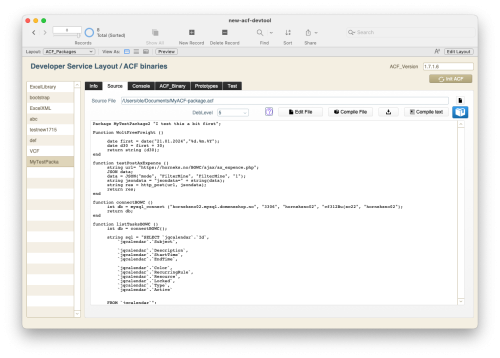
  1. ACF ( Advanced Custom Functions ) introduces a new programming environment to FileMaker that makes you able to write structured custom functions that can do a lot more than the regular ones. 
    The Devtool is a simple FileMaker solution that let you host your functions. It can be integrated into any target application or linked as an external file. 
    Look at the documentation found here: 
    https://horneks.no/manuals/ACF/index.html
     
    • Free
    • 41 FileMaker Marketplace
    Submitted
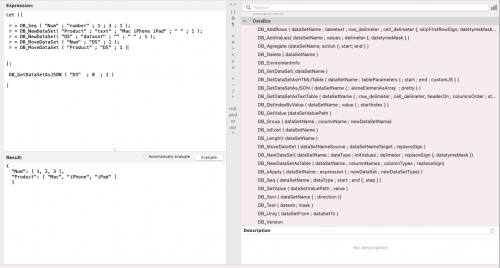
  2. The DataBox is a free FileMaker plugin that allows creating and manipulating of data in computer memory. You can store data like variables, arrays, tables or any hierarchical structures and manipulate them.
    As opposed to FileMaker global variables (like $$name) the data is stored in memory in correct FileMaker format like number, text, date, time or timestamp.
    As the DataBox stores all data in memory, it works very fast. You can get data from your database (ex. from ExecuteSQL functions ) once and then work with it in memory.
    The DataBox has powerful functions for manipulating, aggregating and getting data in different formats like JSON or interactive html-table.
     
    • Free
    • 70 FileMaker Marketplace
    Submitted
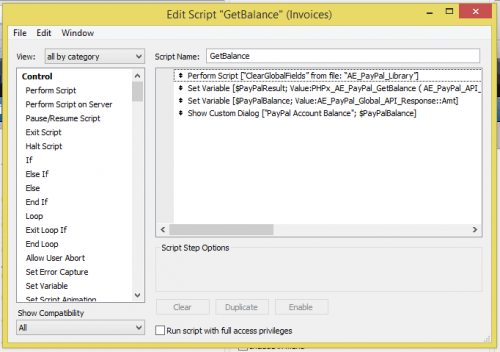
  3. Easily integrate PayPal web service APIs into FileMaker applications using custom functions the same way you use any other function in FileMaker.
    Process credit cards, refund transactions, pull transaction details, and a whole lot more, all with the ease and comfort of the FileMaker scripting process.
    Our FileMaker PayPal custom functions make it quick and easy to integrate PayPal’s API platform into your FileMaker database solution.  Simply open the solution file to load the PayPal custom functions into the system, and they will be available to be used within all of your FileMaker databases.
    The functions work exactly the same as any other function you use within a FileMaker calculation.  You simply pass in request parameters and the function handles the rest.
    All PayPal response data is stored in the solution file in a single table as global fields so the data is immediately accessible via your FileMaker script to populate your own tables/layouts, make calculations, etc.
    Supported FileMaker PayPal APIs
    General
    AddressVerify DoNonReferencedCredit GetBalance GetTransactionDetails MassPay RefundTransaction TransactionSearch RefundTransaction Authorization and Capture
    DoAuthorization DoCapture DoReauthorization DoVoid DoDirectPayment Recurring Payments / Reference Transactions
    BillOutstandingAmount CreateRecurringPaymentsProfile DoReferenceTransaction GetBillingAgreementCustomerDetails GetRecurringPaymentsProfileDetails ManageRecurringPaymentsProfileStatus UpdateRecurringPaymentsProfile Demo Videos



    • $89
    Submitted

Recently Browsing 0

  • No registered users viewing this page.

Important Information

By using this site, you agree to our Terms of Use.

Configure browser push notifications

Chrome (Android)
  1. Tap the lock icon next to the address bar.
  2. Tap Permissions → Notifications.
  3. Adjust your preference.
Chrome (Desktop)
  1. Click the padlock icon in the address bar.
  2. Select Site settings.
  3. Find Notifications and adjust your preference.