Jump to content
View in the app

A better way to browse. Learn more.

FMForums.com

A full-screen app on your home screen with push notifications, badges and more.

To install this app on iOS and iPadOS
  1. Tap the Share icon in Safari
  2. Scroll the menu and tap Add to Home Screen.
  3. Tap Add in the top-right corner.
To install this app on Android
  1. Tap the 3-dot menu (⋮) in the top-right corner of the browser.
  2. Tap Add to Home screen or Install app.
  3. Confirm by tapping Install.

Welcome To FMForums

Welcome to our community, full of great ideas on developing your FileMaker solutions effectively,
 for peer-to-peer support of the FileMaker Platform and related products and services.

Register and join the conversation!


Affiliate Blogs

Featured Entries

Claris is now offering a free tier of Claris Connect, their flow tool that allows you to create automated workflows between your Claris FileMaker application and the rest of your tech stack. Take advantage of this free tier that will empower you to dip your toes into the world of automation without breaking the bank! Read more here.     dbservices.com
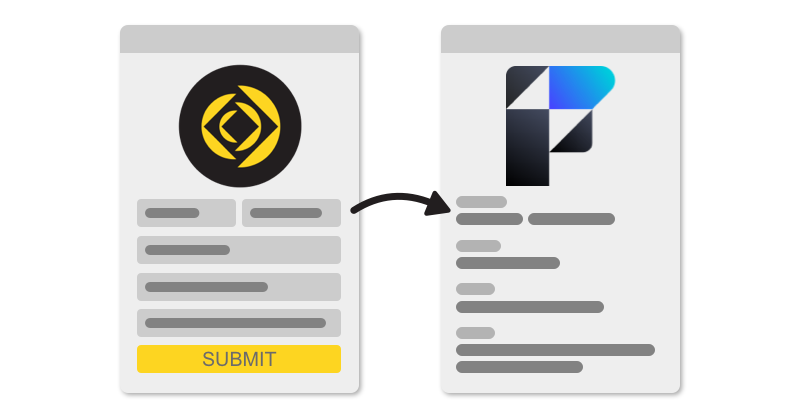
When you're dealing with any type of web service which doesn't offer an API for data exchange, you'll inevitably end up working with a web form for getting data into that service. Data has to get in via some method and the most common is your standard web form. Maybe you need to interact with a Google Form or some other public form service. While some of these services will provide a standard format such as CSV for pulling data out, there are still those services where you need to popuate a web
FileMaker enthusiasts! We are excited to announce that registration for PauseOnError FileMaker Summer Camp* 2023 opens on Monday, May 8 at 12pm ET. This year’s event will once again be held at the beautiful Kaplan Mitchell Retreat Center, located in Clayton, Georgia, from October 3 to October 6, 2023. Last year, we interviewed folks about their experience at PauseOnError. You can listen to those interviews here or you can listen to abridged The Context Podcast versions: Part 1, Part 2, […] The
When starting out with FileMaker, there's rarely the situation where you receive any "before you get started" advice. This is because working in FileMaker is like picking up a blank canvas and having someone say "Go for it! Paint something." Essentially, you need to know what the tools are, how you use them, what can be accomplished and how certain decisions might affect you. So, when it comes to field indexing, you might not know the default settings could potentially cause your solution to be
Greetings all,   Dynamically sorting portals has always been a struggle for FileMaker Developers — in this new #FileMaker Weetbicks article we introduce a method using Value Lists which avoids unstored calculations and is compatible with FileMaker Server's ability to sort records. We also go in depth on the journey to come up with this approach and along the way you may just learn a bit about Value Lists and how they can be sorted, along with some of the challenges involved. Read
We are known for our cautious approach to FileMaker Server updates, but we are thrilled to announce a temporary change to our policy in response to the incredible demand for testing of FileMaker 2023 in just 48 hours! Existing servers: update from e-mai For all existing servers, you can now choose to update immediately. You received an e-mail on April 25, just after the official release of FileMaker 2023. By clicking a button on that e-mail you can request an update that will be appl
We will be joined by Doug Wallis & Conner Brock from Claris, at 1PM PST on RCC's Livestream, to talk about Persistent Cache, Quick Server Restart, FM Server on Ubuntu 22.04 & improvements to Server-Side Java Garbage Collection. Register for the event here: https://bit.ly/2Launch23
The release of the new Claris FileMaker 2023 update has been long-awaited by developers and users alike. With many new features and enhancements, it promises to make the already robust database platform even more powerful and efficient.  We also recognize that with new updates, compatibility issues can arise. Here are some additional details: Otto  Otto will require version 3.5.3 to work with FileMaker 2023. It is available for download. FMPerception FMComparison *FMPerception and FMComparison w
I picked up my first copy of FileMaker 3 and wrote my first little database app in 1998. Twenty-five years later, I still find myself eagerly anticipating the next new release, hoping to try out the next cool feature that promises to keep this business of solving problems with software fun.  A lot has changed in the intervening years. The product has evolved and made significant transformations, gaining power and features. FileMaker started as a tool that hobbyists and professionals […] The pos
Claris International, Inc. released Claris FileMaker 2023 (version 20) of the FileMaker platform on Tue. April 25th 2023. This release, like all previous dot releases, saw just a few major features and some new branding via a new icon. In my opinion, there are primarily three major features in FMP 20 and a VERY large number of both fixes and minor features. I'm calling this one the "move towards enterprise" release. It improves upon its level of support for robust technologies such as ARM suppo
Featuring: Martha Zink, Todd Geist, and special guest, Rick Kalman. Description:  In this episode of The Context Podcast, Martha Zink and Todd Geist talk to Rick Kalman from Claris about the launch of Claris FileMaker 2023.  Together, they discuss the upcoming changes to the platform—including the switch to a year-based naming scheme, significant performance improvements, and the availability of Claris Connect on the free plan. With stronger authentication protocols, greater scalability, and imp
There are a few things to know about installing / upgrading FileMaker Pro / Go. General FileMaker Pro and Claris Pro have version numbers such as XX.y.z, where XX is the major version, y the minor version, and z a build version. Minor upgrades (within a major version) are always available. All users with a 19.1.x version are entitled to 19.6.3 for instance. Minor upgrades can be made from within the app. (From the Help menu : Check for updates) Major upgrades such as version 19 to 20 requi
April 25. 2023 – Claris just announced the immediate availability of FileMaker 2023, the new version of the FileMaker Platform All components of the platform, FileMaker Pro, FileMaker Go and FileMaker Server are concerned, as well as Claris Connect. A detailed review of new features by Fabrice Nordmann can be found on 1-more-thing’s web site, so we, as a FileMaker hosting service, will focus on the server side.
There are a few scenarios where you may need to change the filenames for your FileMaker custom apps. For example, you might be hosting your development copy and production copy on the same server. Since FileMaker Server does not allow you to host two files with the same name you have no choice but to name them differently, eg,“My_CRM” and “My_CRM_Dev”. Or perhaps you’re maintaining one master codebase on the development server and pushing that codebase to one or more […] The post Managing dynam
Join us virtually on Tuesday, April 18th, for a virtual user group meeting hosted by Jay Sayers of Skeleton Key and discover how Otto gives you superpowers for your FileMaker server! Todd Geist will be leading a presentation of Otto’s current capabilities, and better yet, he will also give attendees an exclusive first look at Otto v4. After the presentation, an Open Forum segment of the meetup will allow attendees to ask questions, share problems, and showcase their projects to […] The post St.
You may want to remove a FileMaker file from the server for several reasons: the file is not used anymore and you want to get rid of it you want to upload a new version of the file Follow these steps: Open the admin console: https://myserver.fmcloud.fm/admin-console Enter credentials and login Go to the Databases tab From the list of files on the left, close the file you want to remove (from the local menu)  data:image/png;base64,iVBORw0KGgoAAAANSUhEUgAAASMAAAE9CAYAAABA/ATGAAAKt2lDQ1BJ

Recently Browsing 0

  • No registered users viewing this page.

Important Information

By using this site, you agree to our Terms of Use.

Configure browser push notifications

Chrome (Android)
  1. Tap the lock icon next to the address bar.
  2. Tap Permissions → Notifications.
  3. Adjust your preference.
Chrome (Desktop)
  1. Click the padlock icon in the address bar.
  2. Select Site settings.
  3. Find Notifications and adjust your preference.