Welcome to our community, full of great ideas on developing your FileMaker solutions effectively,
for peer-to-peer support of the FileMaker Platform and related products and services.
The FileMaker Script Debugger is powerful. Its features are often overlooked. In this post we examine the buttons that control stepping through a script.
The post Like a Boss: Using the Script Debugger to its Full Potential appeared first on Geist Interactive.
View the full article
FileMaker Kanban is the latest tool that offers familiar functionality for users and flexibility for the developer. It offers great functionality and organizes your data visually into lanes and cards.
The post FileMaker Kanban: Organize Your Data appeared first on Geist Interactive.
View the full article
[ Edit: 3/16/2016 - With the help of some other people, we have been able to recover, or recreate some of the original images from original thread. ]
Security is always a big topic when it involves data, or people, or possessions. Recently, over on the FileMaker Community, there was a very beneficial discussion regarding security. Unfortunately, that discussion was the victim of a necessary action...and was deleted. It was deleted, because the discussion was tied to a video that, as was det
For the first time, DB Services has been ranked #3494 on the annual Inc. 5000 list, which ranks the country’s “fastest-growing innovators” based on overall revenue growth over a three-year period. The Inc. 5000 list has brought attention to America’s growing private businesses since 1982.
DB Services now joins the ranks of other Inc. 5000 list alumni such as Facebook, Zappos, Pandora, and others. DB Services is top ranked FileMaker Platinum Business Alliance Partner on the 2019 Inc. 5000 li
Free webinar introducing Karbon our free application framework for building ambitious custom business applications. If you are interested in using the FileMaker Workplace Innovation Platform at a high level you'll probably want to see what we have cooked up.
The post Karbon Webinar – Getting Started appeared first on Geist Interactive.
View the full article
Claris Studio has officially launched and is now available! We discuss the new cloud-native development environment from Claris and some of our favorite features and functionalities in our blog here.
dbservices.com
Claris/FileMaker, as a development environment, is full of all kinds of hidden corners and secret places. Most of this is due to its age and keeping a strong commitment to backwards compatibility. To its credit, there are very few features which have been removed to date. Still have a database which uses repeating fields to store data? They're still there!
To say that developing within the environment is straight forward is a bit misleading. Sometimes, you can combine knowledge about older feat
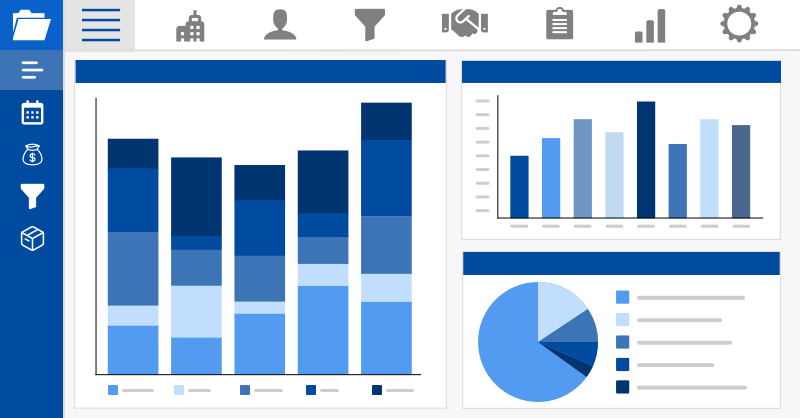
FM Quickstart, the premier free ERP app for FileMaker, has been updated for the latest version of FileMaker. This bundle of new features is sure to improve your system's functionality and speed while expanding the limits of your database. Includes a demo video. Read more about the new features here.
Featuring: Martha Zink, The Context Podcast Host & Proof+Geist Director of Marketing Todd Geist, Proof+Geist Co-Founder/CTO John Renfrew, Independent Developer & Owner Episode Summary: The recent release of FileMaker 19.5 introduced a new feature for those with FileMaker Server for Mac and Windows: OData (Open Data Protocol). Originally created by Microsoft, OData is an open protocol that allows for the creation and consumption of queryable and interoperable REST APIs in a simple and st
If you haven't added logging into your FileMaker solutions, then you don't know what you're missing, and there's no better time than the present to do so. With the release of this video and technique file, you'll find an updated version of a long-running topic which goes back to 2013.
The functionality we had in 2013 and 2020 is different than what we have now. We're always trying to take advantage of newer features and improve what we use in our solutions. If you've not watched the previous vi
Featuring: Martha Zink Todd Geist Angelo Luchi FileMaker 19.5 comes with hundreds of bug fixes–some of them small, and some of them game-changing. In this episode of The Context Podcast, join your host Martha Zink in conversation with Todd Geist and Angelo Luchi as they discuss these various changes. Hear about new support for Unbuntu 20.04, added OAuth performance, Live Text integration on macOS, and important Data Migration Tool changes— just to name a few things. Dive into the conversation
Featuring: Martha Zink Todd Geist Angelo Luchi FileMaker 19.5 comes with hundreds of bug fixes–some of them small, and some of them game-changing. In this episode of The Context Podcast, join your host Martha Zink in conversation with Todd Geist and Angelo Luchi as they discuss these various changes. Hear about new support for Unbuntu 20.04, added OAuth performance, Live Text integration on macOS, and important Data Migration Tool changes— just to name a few things. Dive into the conversation
For all my time with FileMaker, there's this peculiar aspect of one's learning journey where small bits and pieces of information come to you in odd ways. You either happen to stumble upon them, or you're told about them through the grapevine. Not from the company itself.
While most large companies are often busy with the business of improving their software, their outbound communications about certain things aren't always prompt or highly detailed. Personally, I love what Claris has been doing
Demo File JSON Custom Functions for FM 19.5 Introduction Today we have some custom functions (CFs) that can help you accomplish various JSON-related tasks in FileMaker. Back in 2018 I had this to say about JSON custom functions… My inclination is to really understand something before I use a custom function to simplify things, but… Continue reading JSON Custom Functions for FM 19.5, part 1View the full article
It’s hard to believe it’s been a few weeks since AutoEnter concluded. Once More—- We would like to thank everyone who presented, who participated, and who lurked in our chats throughout this rollercoaster of an event. AutoEnter Live was a great way to get our community together and spread a wealth of knowledge. We all started as Claris Problem Solvers and within 48 hours, we quickly turned into a bunch of modern FileMaker revolutionaries. It was a fantastic two days, […]
The post AutoEnter Liv
When making a robust solution in FileMaker that you want to suit your needs best, it’s important to consider the app's purpose and projected user pool. Thankfully, with the addition of a system dashboard to your FileMaker project, you gain a fast and user-friendly way to present the data of each user without the need for slow and bulky found sets. Includes a video and sample file. Read the full article here.
Recently I noticed some code that had worked flawlessly for years was suddenly returning “?” instead of valid values. What it came down to was that I had renamed my file from “JSON Custom Functions” to “JSON Custom Functions for FM 19.5” Well you know those functions like ValueListItems… ValueListItems ( fileName ; valueListName )… Continue reading Sometimes Less Is More ReliableView the full article
As a result of the recent investments that Claris has made in their products and platform, they have decided to increase licensing costs for all customers starting September 24, 2022 in order to continue providing value, creating efficiency, and delivering better customer experiences for organizations. Renew your license by September 23, 2022 to save money! Get more information about the pricing changes here.
This article is part of a series. See also… • Thinking About JSON, part 1 • Thinking About JSON, part 3 • Thinking About JSON, part 2 Demo Files Make sure to download the correct version for your locale: json.getvaluetype – decimal dot, v1 (decimal separator is a dot; thousands separator is a comma)… Continue reading Thinking About JSON, part 4View the full article
After releasing its highly-successful Problem Solvers Circle program last quarter, Claris has expanded its licensing offerings with another exclusive program: Claris Platform Bundle. This program gives your organization the freedom to explore, build, and test new solutions with full access to the suite of Claris products. We explore the benefits and use cases for each program in our article.
If you have done any development work in Claris FileMaker or worked with APIs, you may have heard references to JSON but not been aware of how to use JSON with Claris FileMaker.
JSON, which stands for JavaScript Object Notation, is the universal standard for moving data between two systems, especially via APIs. Essentially, it is a format of JavaScript but is NOT limited to JavaScript. It is plain text formatted with characters and symbols that identify and describe that text.
An understandi
The world of JavaScript libraries is so rich and full that once you start using some of them you start to ask yourself "Should I even try this natively with FileMaker?" When it comes to something like QR codes we don't even have a native option to create them. Currently, there's no GenerateBarcode() function.
There's also the situation where you're using one of these fabulous JavaScript Libraries and you want to loop through a found set of records. The problem is... — You try to use your new co
AutoEnter starts Tuesday, July 19. We are excited that we decided to have a sale. From today until July 31, 2022, you can get 20% off any of the products listed below. Products on Sale All of these products are on sale for 20% FMPerception / FMComparison Otto LedgerLink BarcodeCreator Coupon Code Enter the code below when you checkout for your 20% discount. AELIVE2022 The sale continues through July 31, 2021. Ottomatic Giveaway If you are at the show, you […]
The post AutoEnter Live Sale appear
Êtes-vous capable de retrouver en moins de 10 secondes le rapport de la réunion de lancement du dernier projet dont vous vous êtes occupé ? Cherchez-vous souvent parmi toutes les icônes qui se trouvent sur le bureau ou dans la barre des tâches de votre ordinateur ? Avez-vous plusieurs applications qui font la même chose […]
Cet article La méthode 5S : améliorer son organisation personnelle pour gagner en efficacité sans trop d’efforts est apparu en premier sur 1-more-thing.
View the full artic
Êtes-vous capable de retrouver en moins de 10 secondes le rapport de la réunion de lancement du dernier projet dont vous vous êtes occupé ? Cherchez-vous souvent parmi toutes les icônes qui se trouvent sur le bureau ou dans la barre des tâches de votre ordinateur ? Avez-vous plusieurs applications qui font la même chose […]
Cet article La méthode 5S : améliorer son organisation personnelle pour gagner en efficacité sans trop d’efforts est apparu en premier sur 1-more-thing.
View the full artic
Even in today's interconnected world, you'll still find systems which are so legacy that the only thing you get out of them is some type of output which was popular back in the late 80's and early 90's. One of those formats, which isn't actually an import format, is PCL (Printer Command Language). Yep, there's still a lot of education institutions which will output a PCL file as an export, which is simply just fixed length text with instructions about how a printer should handle the output. It'
When We Say, “Made in the USA,” We Mean, “Made in the USA” — Our Development Team is 100% Pure American Ingenuity & Innovation in Action
A message from our founder:
As companies across the United States work to reshore jobs and #americanmuscle hashtags eXplode all over social media, I wanted to take a moment to get clear about the way we do things here at eXcelisys, where our development team has been – and will always be – firmly rooted in the USA.
As a U.S.-based custom web, mobile,