Welcome to our community, full of great ideas on developing your FileMaker solutions effectively,
for peer-to-peer support of the FileMaker Platform and related products and services.
Hi all,
Today I'm happy to announce the release of Elemental for FileMaker. This is a free fully unlocked solution containing some cool user interface and design stuff that I hope you find useful and can incorporate into your own solutions.
You can grab a copy now at https://www.elemental-fm.com
In Elementals first version you'll find the following:
Avatars
Over 20 API integrations with avatar generators. These are uniquely generated based on a name y
FileMaker Kanban is the latest tool that offers familiar functionality for users and flexibility for the developer. It offers great functionality and organizes your data visually into lanes and cards.
The post FileMaker Kanban: Organize Your Data appeared first on Geist Interactive.
View the full article
Hacking Your Own FileMaker Platform Solutions
Should FileMaker Platform developers mount hacking attacks on their own solutions? At first glance, this may seem an odd question. But I believe that the answer is “Yes, we should.”
Consider this. As developers we see our solutions from a totally different perspective than Threat Agents see them. Without practicing our own hacking skills, we can become blind to the vulnerabilities a Threat Agent can exploit to compromise the Confidentiality
Free webinar introducing Karbon our free application framework for building ambitious custom business applications. If you are interested in using the FileMaker Workplace Innovation Platform at a high level you'll probably want to see what we have cooked up.
The post Karbon Webinar – Getting Started appeared first on Geist Interactive.
View the full article
Part 2: What Should You Consider When Selecting a Development Partner? What Questions Might You Ask a Potential Developer?
Hiring a developer is about creating a working relationship. You want someone who gets your business and gets you. Having a good working relationship often determines the success or failure of a development project. Hire someone you are comfortable with who also has the skills necessary to make your project successful. Beyond the quality of the working relationsh
Consistent data entry is one of the hallmarks of a well-designed FileMaker database. It allows a user to run accurate reports and perform reliable sorts and finds, just to name a few important features. Popups and Pickers can assist in the integrity of your data, allowing you to control how users enter data. Without pop-up and pickers, found sets and reports might return inaccurate results. This article will discuss the ins and outs of popups and pickers, including interface techniques, feature
Spreadsheets really suck!... Long live spreadsheets, they're super useful! This simple contradiction, however, is likely a part of our technological lives for the rest of time. Unless AI removes the need for people to directly interact with data, spreadsheets are likely here to stay. And, for good reason. They're actually super useful!
As a software/database developer you need to realize that not everyone intuitively understands the solution you've created. In fact, the learning curve, may just
Just because you can click the Create button to add a new container field doesn't mean you should do it. In fact, you might want to consider never adding a single container field to your main solution's tables. "Really?", you ask. Yes, because there are many advantages to segmenting a solution into multiple distinct parts. Most media, images, video and audio, is considered "heavy data" and that data comes with a big cost.
It may be that you're unfamiliar with how you can best structure your dat
Providing users with some type of indication about where they are within the current layout is always a nice thing. People don't typically like that feeling of being lost and there are multiple ways to indicate where the user is. A simple header or label is always one of the easiest ways, but, what if you're using disconnected objects. In that case, the navigation itself can often act as the indicator.
The combination of either multiple buttons or a Button Bar, with a tab panel or slider is a v
Learn how to seamlessly integrate Claris FileMaker with Stripe for powerful online invoicing solutions. We dive into the details on how to harness the full potential of combining FileMaker features with Stripe's online payment capabilities to build a more efficient invoicing solution. Includes sample file and video.
dbservices.com
If you have been thinking about moving from — or have been getting influenced to move from — QuickBooks Desktop to QuickBooks Online, then make sure you know if you can and what potential costs are involved.
QuickBooks Features – Be Aware of the Differences
QuickBooks Desktop offers more features than QuickBooks Online. Before you consider migrating, it is crucial to ensure that the features you are currently using with QuickBooks Desktop are available in the Online versions. Below are j
There's nothing more fraught with errors than allowing a human to enter a long string of digits. Some people are detail oriented and others less so. Who cares if you transpose the seven and zero right? Well, we developers care, that's who. We need things to be user-friendly, fast and exact. That's what you get with barcodes.
Try imagining our modern world without them. It just wouldn't be the same. So, why aren't you using them whenever and wherever you can within FileMaker. Put a barcode on e
Join us for PauseOnError 2024: FileMaker Summer Camp, a serene retreat for Claris enthusiasts at Ramah Darom Retreat Center in Clayton, GA! Details on early registration.
The post PauseOnError: Summer Camp 2024 for the Claris FileMaker Community appeared first on Proof+Geist.
View the full article
Recently I needed to produce a large range of consecutive numbers. FileMaker doesn’t provide a built-in function to accomplish this but it’s easy enough to accomplish, for example, using the While function or via a recursive custom function. In my case, I decided to go a different route based on a tip I’d seen someone… Continue reading FastRange Custom FunctionView the full article
Proof+Geist achieves SOC2 certification, reaffirming our commitment to safeguarding sensitive data and honoring the trust of our valued clients and partners.
The post Understanding Proof+Geist’s SOC2 certification appeared first on Proof+Geist.
View the full article
When FileMaker simply can't do what's needed natively, you resort to pulling out the old web viewer and just doing it there. Yes, learning JavaScript may be something you're resistant to - or - maybe you've fully embraced the maximum extent of the power we have access to. Either way, there are many things JavaScript can do better and all we need is to move the data back and forth between the web viewer and our fields.
When it comes to a truly natural feeling of drag and drop with lists, your on
Our resident AI expert Cath Kirkland has just posted a new article all about integrating FileMaker with ChatGPT. The article goes in depth about use cases, configuring ChatGPT, integration, and potential gotchas to watch out for.
Also included is a detailed example file to get you started.
Check it out here, and please leave a comment if you like it!
It's always interesting to measure the metrics of how long something takes. Adding automation to a process not only saves time, but makes it less mentally taxing. This increases the sense of accomplishment and can make the process itself more gratifying.
I remember being at an amusement park and showing my kids how to measure the amount of time they might be in line by counting the amount of time it took between each time a roller coaster pulled in and how many people it accommodated. By then c
County Commissioner Candidate Gives eXcelisys High Vote of Confidence for Building Star-spangled Campaign Website
From Inception to Launch in 28 Days, Site Boosts Office-Seeker’s Web Presence
For St. Joseph County, Indiana, native Tom McCormick, the decision to seek political office was a long time coming. But once McCormick decided to run for county commissioner, he knew he needed to launch a campaign website lickety-split.
“One of the first things we started in this whole process was trying
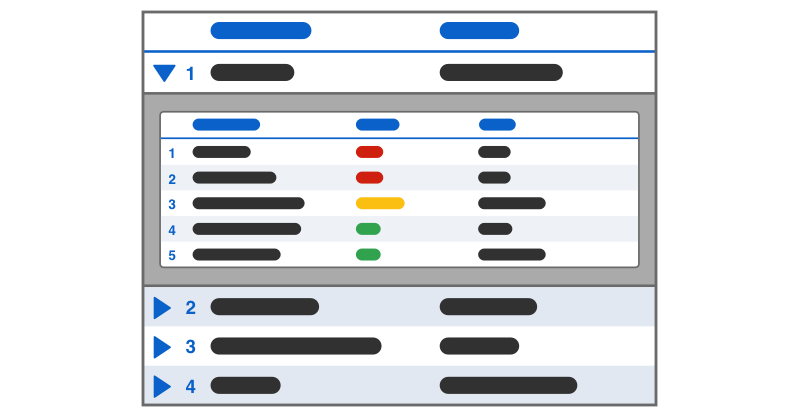
Creating a collapsible list in Claris FileMaker might initially seem challenging, but with a strategic approach using a web viewer, it becomes achievable. By leveraging the web viewer, you can create a dynamic list that incorporates FileMaker data seamlessly. We demo how to create a collapsible list in FileMaker to provide a more intuitive and efficient workflow for users. Includes a video and sample file. Read the article here.
dbservices.com
Audio Post-Production Firm Finds Harmony with Custom-made Studio Booking Software
We Heard Our Client Loud & Clear — Build Us a FileMaker Solution to Manage Bookings, Staff Schedules, Studio Space, Invoices, Project Notes, Files & More
As a boutique audio post-production facility, Heard City specializes in sound design and mixing for commercials, television and film. Clients include ad agencies and editorial outfits from around the globe who rely on Heard City to sculpt soundscapes for
Earlier this February, we released new versions of the Otto family of Modern FileMaker developer tools, OttoFMS and OttoDeploy, and made them available to everyone for free. We shared this news at Claris Engage 2024, and made a lot of people happy. But we also kept getting some variation of the question, “there’s a catch, right?!”
The answer is no, there isn't a catch, but there are trade-offs.
The post I can’t believe OttoFMS is free! appeared first on Proof+Geist.
View the full article
Global fields in FileMaker Pro are a staple of how you define what your user interface can do. Without global fields, your ability to present variable scenarios of data is almost impossible - or - at least, unrealistic. You would be limited to using calculated fields and/or extra data fields, and this can make things really slow, REALLY quick.
Global fields are the linchpin to makings things work well, as desired and efficiently within your FileMaker UI. Without knowing how to take advantage of
Claris Engage is back! More than 600 developers, Claris partners, and Claris employees gathered at the Apple campus in Austin, Texas for three days in February, marking the first in-person Claris conference since 2019. Engage brimmed with excitement and energy from attendees and Claris staff. I reconnected with old and new friends, caught up with […]
The post Reflections on Claris Engage 2024 – State of the Union appeared first on Proof+Geist.
View the full article
This afternoon I pulled this data into FileMaker from a spreadsheet, and needed to “fill down” the region names in f2. Of course I could have filled the region down in Excel prior to importing, but here I was already in FM. At first I was going to use a looping script, but then it… Continue reading Replace + GetNthRecord to Fill DownView the full article
Living the 100% FileMaker native life is certainly possible, but can be seriously limiting when it comes to all the things possible with various other technologies. JavaScript, as one of the predominant languages used across the Internet and beyond, is quickly becoming a must-know for every serious FileMaker developer.
In this video I showcase using the MBS plug-in in order to take advantage of the VERY WIDE world of JavaScript libraries and doing it without the Web Viewer. FileMaker's Web View
It’s wild that Claris Engage 2024 has come and gone. Over 600 of us gathered at the Apple Austin Campus February 6-7, 2024, surrounded by leaders, developers, and an excited community. Here’s my not-so-quick recap. A passionate community The energy at Claris Engage was visceral. Claris provided a long-awaited opportunity to reconnect and surround ourselves […]
The post Claris Engage 2024 Recap appeared first on Proof+Geist.
View the full article
We are thrilled to share that Proof+Geist is the proud recipient of the Claris Innovation Excellence Award (2023) for Ottomatic. We created Ottomatic because our team needed a world-class infrastructure and cloud platform to support our Modern FileMaker work. We couldn’t find an existing hosting offering that fit our vision for professional FileMaker development practices, […]
The post Proof+Geist wins the Claris Excellence Innovation Award for Ottomatic appeared first on Proof+Geist.
View th