Welcome to our community, full of great ideas on developing your FileMaker solutions effectively,
for peer-to-peer support of the FileMaker Platform and related products and services.
The FileMaker Script Debugger is powerful. Its features are often overlooked. In this post we examine the buttons that control stepping through a script.
The post Like a Boss: Using the Script Debugger to its Full Potential appeared first on Geist Interactive.
View the full article
[ Edit: 3/16/2016 - With the help of some other people, we have been able to recover, or recreate some of the original images from original thread. ]
Security is always a big topic when it involves data, or people, or possessions. Recently, over on the FileMaker Community, there was a very beneficial discussion regarding security. Unfortunately, that discussion was the victim of a necessary action...and was deleted. It was deleted, because the discussion was tied to a video that, as was det
Free webinar introducing Karbon our free application framework for building ambitious custom business applications. If you are interested in using the FileMaker Workplace Innovation Platform at a high level you'll probably want to see what we have cooked up.
The post Karbon Webinar – Getting Started appeared first on Geist Interactive.
View the full article
Forums are a great way to get technical advice for FileMaker but for some reason, many people don't think they have to be nice in the electronic world. I was raised to say "please" and "thank you" and that has translated over to the internet for me. But, other folks think the anonymity of cyberspace is an excuse to be a jerk. Some posters are outright offensive and others will just leave snide responses like, "that wasn't much help". News flash! People on the internet are real and you should be
Hierarchical JSON Viewer / Editor
By Andy Persons & Doug West
One of the standout new features of FileMaker Pro 16 is native support for the JSON data-interchange format. In addition to providing easy integration with a host of online services, it also provides developers with the tools to create robust hierarchical structures for use entirely within FileMaker. This hierarchical JSON viewer / editor file provides some tools for visualizing, manipulating, and leveraging JSON text.
Features
FileMaker can be such a wonderful desktop tool for harvesting and managing a lot of data. It’s because the user interface is baked right there into the backend database. You can whip up a powerful data parsing solution in no time. Can it handle the data? Yep! Can you build the interface right there? Yep! This sense of “data power” can be compounded even more with a little bit of know-how.
When you’re not afraid to step, just a bit, outside of FileMaker’s user interface and simply plug-in to ano
If you do complex data analysis, then from time to time you probably need to group, summarize, and parse data into variables and/or fields. There are various ways to accomplish this, including the Fast Summary technique, which regular readers of this blog may be familiar with, as it has made a number of appearances here […]
View the full article
Aligning FileMaker Security Requirements To Business Interests
March 29th 2016
There has been a considerable amount of discussion recently in various FileMaker Platform venues about database security. Much of the discussion has focused on the use of one technique or another, and most of those techniques actually detract from the security of FileMaker systems rather than enhance security.
Absent from these discussions, however, has been any description of
No Access? Watch the preview video here. SlideoutMenus_Pre.mp4
Attachment
Size
SlideoutMenus.zip
322.33 KB
By Matt Petrowsky
Slideout menus have been around for quite some time in the mobile world. They often come alongside an icon of three short horizontal bars which are commonly called a hamburger menu. Called as such because it looks like two buns, with one above and one below the meat in between. This icon is also suspiciously similar to a "List view" icon in our familiar
Slideout menus have been around for quite some time in the mobile world. They often come alongside an icon of three short horizontal bars which are commonly called a hamburger menu. Called as such because it looks like two buns, with one above and one below the meat in between. This icon is also suspiciously similar to a "List view" icon in our familiar world of FileMaker.
While the UI pattern still has a lot of use in the mobile world, it's becoming increasingly "out of fashion" and referred t
Back in 2014 we wrote our most popular article to date about integrating FileMaker with the online email service Mandrill. Recently, Mandrill have announced that they are ceasing their free service and are turning it into a Mailchimp add-on service that will cost a fee.
In this article we detail how you can switch to using SparkPost, a free mail service that is the preferred alternative to Mandrill (even Mandrill themselves recommend it!) We provide a demo file and information on how you ca
No Access? Watch the preview video here. SecuringCredentials_Pre.mp4
Attachment
Size
SecuringServiceCredentials.zip
381.86 KB
By Matt Petrowsky
Security credentials, such as critical passwords, API secret keys and other methods of authentication are the gatekeepers to vast troves of data.
These are the pieces of information you want to be most careful with. You don't want to spread them all throughout your FileMaker solution making the "attack surface" an easy steal for anyo
Security credentials, such as critical passwords, API secret keys and other methods of authentication are the gatekeepers to vast troves of data.
These are the pieces of information you want to be most careful with. You don't want to spread them all throughout your FileMaker solution making the "attack surface" an easy steal for anyone.
In this video you'll learn about how the Full Access settings apply to both custom functions and how this relates to scripts which reference those custom funct
Emerging Trends in Information Security Affect FileMaker Platform
By Steven H. Blackwell
March 17th 2016
The recently concluded annual RSA Security Conference showcased a number of important emerging trends in Information Security that likely will affect FileMaker Platform developers and Administrators of FileMaker Platform systems. In this BLOG entry, I will describe some of these and offer some observations about how they might apply to the FileMaker Platform.
Attachment
Size
CreativeSliderPanels.zip
350.22 KB
By Matt Petrowsky
Emulating features and design functionality found within iOS apps can be both frustrating and rewarding in FileMaker. Frustrating because you can't just replicate anything you see in iOS, yet rewarding when you pull something off and feel like FileMaker is that much closer to a native looking application. The biggest benefit with FileMaker being you likely created the solution with a speed which simply can't be ha
Emulating features and design functionality found within iOS apps can be both frustrating and rewarding in FileMaker. Frustrating because you can't just replicate anything you see in iOS, yet rewarding when you pull something off and feel like FileMaker is that much closer to a native looking application. The biggest benefit with FileMaker being you likely created the solution with a speed which simply can't be had when building the same with the native iOS APIs.
Simply put, FileMaker saves a t
Group Session #1
Hi. My name is Andy and I'm an API Addict.
In my defense, I have to say it's all Brian Dunning's fault. See, when I was first starting out with FileMaker, and discovered all that sample data on Mr. Dunning's website, I found I couldn't get enough. I was sorting, and parsing, and testing, and munging, and wrangling, and...and...and I just kept needing bigger and bigger datasets to "work" with. When I'd gone through the biggest one there, I realized I still needed more.
Read m
No Access? Watch the preview video here. LayoutDesignTips_Pre.mp4
By Matt Petrowsky
When it comes to creating a great design within FileMaker's layout mode, there's always a bit of skill and experience mixed in with some practical know-how.
Fortunately, the creative side of the experience can be enhanced quite a bit when you know how to apply those practical bits of knowledge. If you've always wondered how the masters achieve their streamlined and balanced look and feel, then wonder
When it comes to creating a great design within FileMaker's layout mode, there's always a bit of skill and experience mixed in with some practical know-how.
Fortunately, the creative side of the experience can be enhanced quite a bit when you know how to apply those practical bits of knowledge. If you've always wondered how the masters achieve their streamlined and balanced look and feel, then wonder no more.
This video will showcase how to use FileMaker's grid and word processing features in
If you produce reports or other FileMaker output in PDF format, here’s a little trick that can be a real time saver in terms of development. Imagine this: a client receives a nightly report via email in PDF format, and asked you to make sure the report would fit on a single page in landscape […]
View the full article
No Access? Watch the preview video here. PortalBasedMenuSystems_Pre.mp4
Attachment
Size
PortalBasedMenuSystems.zip
337.29 KB
By Matt Petrowsky
Navigation - it's a fundamental piece to the whole UX problem of a growing database solution. When you first start out, things are pretty easy. You may have a few buttons taking users to dedicated layouts.
However, as things continually grow, you end up adding more and more places to go and things which can be done. Managing this grow
Navigation - it's a fundamental piece to the whole UX problem of a growing database solution. When you first start out, things are pretty easy. You may have a few buttons taking users to dedicated layouts.
However, as things continually grow, you end up adding more and more places to go and things which can be done. Managing this growth, and how you present the possible options, is something which requires a bit of forethought.
When you start to consider the number of layouts which may need to
By Matt Petrowsky
Doesn't everyone want to build an app these days? How about you? Is building a native looking iOS app on your agenda? Wouldn't it be easier if your user's didn't have to learn the FileMaker Go UI and could simply tap your own custom solution icon when using an iOS device?
If the answer is yes, then your wait is over. In the first quarter of 2016, FileMaker, Inc. quietly released their iOS App SDK for FileMaker. This Xcode based toolkit enables anyone, with the willing
Doesn't everyone want to build an app these days? How about you? Is building a native looking iOS app on your agenda? Wouldn't it be easier if your user's didn't have to learn the FileMaker Go UI and could simply tap your own custom solution icon when using an iOS device?
If the answer is yes, then your wait is over. In the first quarter of 2016, FileMaker, Inc. quietly released their iOS App SDK for FileMaker. This Xcode based toolkit enables anyone, with the willingness to learn, the ability
[ Edit: 3/16/2016 - With the help of some other people, we have been able to recover, or recreate some of the original images from original thread. ]
Security is always a big topic when it involves data, or people, or possessions. Recently, over on the FileMaker Community, there was a very beneficial discussion regarding security. Unfortunately, that discussion was the victim of a necessary action...and was deleted. It was deleted, because the discussion was tied to a video that, as was det
No Access? Watch the preview video here. URLSolutionUpdating_Pre.mp4
Attachment
Size
URLSolutionUpdating.zip
666.31 KB
By Matt Petrowsky
Recently, FileMaker released its iOS App SDK for FileMaker Pro. This new technology for FileMaker developers allows for both consultants and solution developers to create client or customer specific solutions which can run on iOS without having to install FileMaker Go.
Given the speed with which a FileMaker solution can be built and deploye
Recently, FileMaker released its iOS App SDK for FileMaker Pro. This new technology for FileMaker developers allows for both consultants and solution developers to create client or customer specific solutions which can run on iOS without having to install FileMaker Go.
Given the speed with which a FileMaker solution can be built and deployed, the knowledge of using the Separation Model of deployment becomes a valuable tool for creating agile solutions. Easily updated and easily deployed.
When
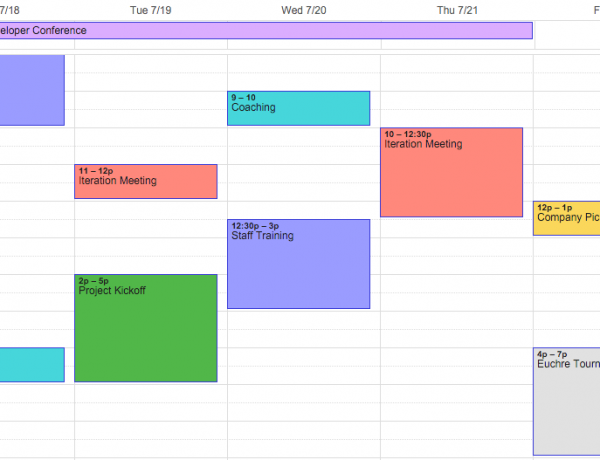
Are you wanting to have a calendar in your FileMaker application, but don't want to build a custom one? Why not use a calendar app already available? Learn how to integrate with Google Calendar! Includes free demo and file. https://www.dbservices.com/articles/filemaker-google-calendar-integration/
dbservices.com