Welcome to our community, full of great ideas on developing your FileMaker solutions effectively,
for peer-to-peer support of the FileMaker Platform and related products and services.
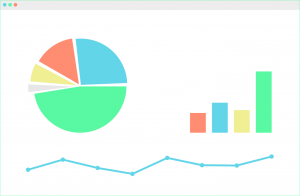
FileMaker offers many different options for charting, but if you need a chart that is not available in FileMaker, you should consider using Google Charts. Google Charts is a free Javascript framework that can be used in conjunction with web viewers in FileMaker to extend your charting capabilities: https://dbservices.com/articles/google-charts-in-filemaker/
dbservices.com
Hacking Your Own FileMaker Platform Solutions
Should FileMaker Platform developers mount hacking attacks on their own solutions? At first glance, this may seem an odd question. But I believe that the answer is “Yes, we should.”
Consider this. As developers we see our solutions from a totally different perspective than Threat Agents see them. Without practicing our own hacking skills, we can become blind to the vulnerabilities a Threat Agent can exploit to compromise the Confidentiality
The FileMaker Let function is your tool to make a calculation readable, well formatted and easy to debug. Let us discuss how it can be used.
The post Like a Boss: Let us Discuss the FileMaker Let Function appeared first on Geist Interactive.
View the full article
Part 2: What Should You Consider When Selecting a Development Partner? What Questions Might You Ask a Potential Developer?
Hiring a developer is about creating a working relationship. You want someone who gets your business and gets you. Having a good working relationship often determines the success or failure of a development project. Hire someone you are comfortable with who also has the skills necessary to make your project successful. Beyond the quality of the working relationsh
FileMaker Kanban is the latest tool that offers familiar functionality for users and flexibility for the developer. It offers great functionality and organizes your data visually into lanes and cards.
The post FileMaker Kanban: Organize Your Data appeared first on Geist Interactive.
View the full article
We are hiring!
Are you ready to make a meaningful career move? Is it time for you to step into the big leagues and make databases for professionals?
Do you want to develop more than a FileMaker database?
To be successful in this developer position you must have thick skin, be a fast study and thrive on doing the hard work to get the job done. You should be excited about working in a team environment where accountability is high and your opinion is valued.
Read more ›
The post We Are Hiring
No Access? Watch the preview video here. iOSSwiping_Pre.mp4
Attachment
Size
ListSwipe.zip
115.26 KB
By Matt Petrowsky
Progressive disclosure. It’s the buzzword that’s been around since the mid 2000’s and a concept which has existed since software started hiding preferences. It’s recently been hitting the popular FileMaker airwaves because of the recent widgets we’ve received in FileMaker 13 & 14.
When it comes to progressive disclosure, iOS, due to the small screen size
Progressive disclosure. It’s the buzzword that’s been around since the mid 2000’s and a concept which has existed since software started hiding preferences. It’s recently been hitting the popular FileMaker airwaves because of the recent widgets we’ve received in FileMaker 13 & 14.
When it comes to progressive disclosure, iOS, due to the small screen size of the iPhone, needed to only show what was absolutely necessary in order to keep things clean and simple.
With the new user interaction
by
2015 Women of FileMaker Luncheon
The 2015 Women of FileMaker luncheon will be held on Wednesday, July 22nd from noon-2 p.m. The luncheon will be held in the Nolita Ballroom at the Cosmopolitan Hotel, Las Vegas during DevCon 2015. Please register in advance at the Women of FileMaker website as seating will be limited this year. You may also join the event via our Facebook Group.
This is a great opportunity to network with other women business owners and developers from around the
by
Online FileMaker Pro Training:
Registration is open for the Fall 2015 JumpStartFM online FileMaker training course. The one-month class begins September 8, 2015. For more information, visit www.jumpstartfm.com or to request a JumpStartFM FAQ email Heidi Rettig at Thorsen Consulting.
The JumpStartFM course format allows students to work at a pace that is consistent with their abilities and the distance-learning format is flexible enough to accommodate existing work and personal commitments
Alumni - Thank You and Discount
Skeleton Key is offering all of our alumni - anyone that has attended one of our training courses in the past, discounts on future classes. As an alumni, you will receive a 10% discount when you take your second class with us. In addition, any alumni who takes a third class, will receive a 20% discount on it, and any subsequent classes.
We want to take this opportunity to thank you again, for choosing us for your FileMaker training needs. We know that there ar
by
Are you headed to Las Vegas for DevCon 2015? Be sure to attend the keynote on Tuesday, July 21st at 9:00 a.m.
This year marks DevCon’s 20th anniversary and the FileMaker team will be introducing scholarship winners Keena Tomko and Jesse Wakley. Tomko and Wakley will represent FileMaker’s “newest” developers and will share the platform with the longest-running FBA developers attending the conference.
The FileMaker team will also present what’s ahead for the product and give an upd
New in FileMaker 14 is the automatic “reconnect to server” feature which I particularly love. But there are some catches to getting it to work nicely, and things you can do to make the most of it. In this article we cover it in depth and outline some limitations and possible workarounds.
Click here to check out the full article
No Access? Watch the preview video here. HighPerformanceFileMaker_Pre.mp4
Attachment
Size
HighPerformanceFileMaker.zip
308.65 KB
By Matt Petrowsky
Creating a FileMaker solution which simply works is much easier than one which performs well. Yeah! You’d like to assume that FileMaker Inc. will take care of everything for you and your FileMaker solution, no matter how you build it, will just work perfectly and as fast as possible.
Here’s the catch. You can hand a hammer to pret
Creating a FileMaker solution which simply works is much easier than one which performs well. Yeah! You’d like to assume that FileMaker Inc. will take care of everything for you and your FileMaker solution, no matter how you build it, will just work perfectly and as fast as possible.
Here’s the catch. You can hand a hammer to pretty much anyone. However, using it, in the most efficient manner, is a totally different story.
You must remember, the FileMaker environment knows nothing about how pe
Mark (top right), Alan (bottom middle), Greg (bottom right)
Mark Richman, President, Greg Lane, VP of Application Development, and Alan Kirtlink, Senior Developer and Trainer, are headed to Las Vegas, Nevada from July 20 - 23 to participate in FileMaker, Inc.'s annual Developer Conference aka DevCon. They'll be staying at The Cosmopolitan, host hotel of more than 60 DevCon sessions. They will join over 1,200 FileMaker developers to network, catch up with colleagues and take advantage of the va
Ever considered what would happen if your data was breached? Take the first step to prevent a breach by securing your application by reviewing our checklist. Includes checklist and tutorial video. https://www.dbservices.com/articles/filemaker-safety-checklist/
dbservices.com
by
New Features and Training Resources for FileMaker 14
The latest release from FileMaker came just after the start of our June 2015 JumpStartFM class. Molly Connolly put together a quick list of tips and resources for developers tackling the changes in FM14:
Cris Ippolite has added two videos to his comprehensive training course on Lynda.com. One video covers the new features available in FileMaker 14 and the other offers training on those new features to get you started. Cris Ippolite is a
by
FileMaker DevCon 2015
DevCon 2015 is just around the corner and I’m busy planning my schedule and getting ready to help out with the pre-conference training sessions. I look forward to attending DevCon each year and I’m always glad to connect in person with friends and colleagues from all over the world.
I thought I’d share my schedule and I hope you’ll join us at one of these events:
Wednesday, July 22nd from 12-2 p.m. – “Women of FileMaker Luncheon.”
Join us for the 10th annual Wo
by Kimberly Carlson is VP of Operations but is new to FileMaker. After about a year in her position at MSN Media, she decided to take the plunge and join the June 2015 JumpStartFM.
“I’d never heard of FileMaker before last August,” said Carlson. “I started working with Matt Navarre at MSN Media full time in September, and I’ve been aching to learn it ever since.”
After the live kick-off event on June 1, Carlson completed the JumpStartFM training plan. Completed by each student who participates
by New Format for JumpStartFM Online FileMaker Training
JumpStartFM just wrapped up its June session and this group of students is the first to try out the new format for the course. The June 2015 class kicked off with a live session led by Molly Connolly. Using a web-conferencing program, students received an overview of the course and its objectives and students had the chance to introduce themselves to one another.
Registered JumpStartFM students receive a login that enables access to the l
Note: Interface file #1 requires FM 14 or later; interface file #2 works with FM 12 or later. What do you get when you combine the Separation Model + FM 14 placeholder text + ExecuteSQL + a million-record table + a variable array + Get(CalculationRepetitionNumber) + the Mod and Ceiling functions + a couple custom functions, with blazingly fast (local, LAN and WAN) performance thrown […]
View the full article
I don't blog much - but I wanted to say i really enjoyed my second visit to dotFMP.com in Berlin a few weeks ago ( first week of June). It was a fantastic collection of brilliant talent! and very kindred souls, that I have had the pleasure of visiting.
The start to the conference in Berlin was the oldest beer garden in east Berlin - and well when in Berlin
Was a great way to start a conference.
Here is an audio recording of a impromptu podcast I did with Egbert or @pixi the conference or
Lets Get Certified!!!….Ummm but how? It’s that time of the year… a new version has been released, DevCon is right around the corner and hey the weather has been pretty amazing! What does that really mean? It’s now time to buckle down and get certified… A little about me: I was introduced to FileMaker a...
View the full article
This is the first time we have ever reviewed a product, and may be the last. The fact is we just love Developer Assistant so much that we had to write about it. We'll cover some of the major features of Developer Assistant and why we think this should be in every developers toolkit.
Click here to check out the full review at FileMaker Weetbicks
No Access? Watch the preview video here. PDFFormCapture_Pre.mp4
By Matt Petrowsky
PDF's won! The battle is over and they're the default digital document for our modern computing age - although ODF may try to disagree.* Of course, if you need to send someone a digital document, you obviously have a number of options.
You can point them to a web page - most people have access to a web browser. You can send them a Microsoft Word document and hope they have something to open it - Google
PDF's won! The battle is over and they're the default digital document for our modern computing age - although ODF may try to disagree.* Of course, if you need to send someone a digital document, you obviously have a number of options.
You can point them to a web page - most people have access to a web browser. You can send them a Microsoft Word document and hope they have something to open it - Google Apps is free. You can always send plain text or an RTF document - they're pretty universal.














.thumb.png.d225e1c74d035ef1333ade1954ddc104.png.d09747f5215011246c5e40c1bc701733.png)


