Welcome to our community, full of great ideas on developing your FileMaker solutions effectively,
for peer-to-peer support of the FileMaker Platform and related products and services.
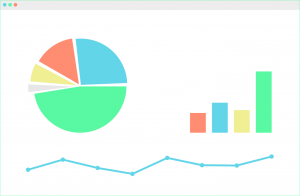
FileMaker offers many different options for charting, but if you need a chart that is not available in FileMaker, you should consider using Google Charts. Google Charts is a free Javascript framework that can be used in conjunction with web viewers in FileMaker to extend your charting capabilities: https://dbservices.com/articles/google-charts-in-filemaker/
dbservices.com
Hacking Your Own FileMaker Platform Solutions
Should FileMaker Platform developers mount hacking attacks on their own solutions? At first glance, this may seem an odd question. But I believe that the answer is “Yes, we should.”
Consider this. As developers we see our solutions from a totally different perspective than Threat Agents see them. Without practicing our own hacking skills, we can become blind to the vulnerabilities a Threat Agent can exploit to compromise the Confidentiality
The FileMaker Let function is your tool to make a calculation readable, well formatted and easy to debug. Let us discuss how it can be used.
The post Like a Boss: Let us Discuss the FileMaker Let Function appeared first on Geist Interactive.
View the full article
Part 2: What Should You Consider When Selecting a Development Partner? What Questions Might You Ask a Potential Developer?
Hiring a developer is about creating a working relationship. You want someone who gets your business and gets you. Having a good working relationship often determines the success or failure of a development project. Hire someone you are comfortable with who also has the skills necessary to make your project successful. Beyond the quality of the working relationsh
FileMaker Kanban is the latest tool that offers familiar functionality for users and flexibility for the developer. It offers great functionality and organizes your data visually into lanes and cards.
The post FileMaker Kanban: Organize Your Data appeared first on Geist Interactive.
View the full article
I have a confession: when I first read about dynamic parameters in the Help entry for ExecuteSQL, my initial reaction was, “Why do they have to make it so darn complicated?” I have another confession: I am now singing a very different tune indeed. I’ll get to the reason for this in a minute, but [...]
Source
It’s been a fun week experimenting with the ExecuteSQL function, and also seeing what others are doing with it. In some cases the experience has been eye opening, and I strongly recommend that anyone interested in ExecuteSQL grab the SQL Builder file from Eden Morris, available at http://fmforums.com/forum/files/file/25-sql-builder/ This attractive and powerful tool provides a [...]
Source
Container Field Enhancements - Day 6 of 12 Days of FileMaker 12 Web Series
<p>Thursday, April 26th, marked Day Six of FM Academy's 12 Days of FileMaker 12 Web Series.
Source
Quick Table View - Day 5 of 12 Days of FileMaker 12 Web Series
Tuesday, April 24th, marked Day Five of FM Academy's 12 Days of FileMaker 12 Web Series.
Source
One of the fun things about a new FileMaker release is figuring out how new features work, including subtle behavioral nuances. Today’s demo file, FM12 ExecuteSQL Help Example from CW, is based on Corn Walker’s re-working of one of the demos from part 1, and helps demonstrate how ExecuteSQL fits in with the FileMaker security [...]
Source
The problem.
SQL, including the new ExecuteSQL calc function in FileMaker 12, returns dates in this format: YYYY-MM-DD. This can be a bit of a pain if you have a string of text like this and just want to transform the date part:1170 - 2012-03-09 - - Keep: Beta Presentation @ BRN Co1171 - 2012-03-15 - 08:30:00 - Call Arthur Murray to finalize data1172 - 2012-03-16 - 12:30:00 - Conference call with Melinda1173 - 2012-03-20 - 11:15:00 - @ Breakfast
The calc for the results above looks like this
FileMaker Go Enhancements - Day 4 of 12 Days of FileMaker 12 Web Series
<p>Thursday, April 19th, marked Day Four of FM Academy's 12 Days of FileMaker 12 Web Series.
Source
Layout Mode Enhancements - Day 3 of 12 Days of FileMaker 12 Web Series
Tuesday, April 17th, marked Day Three of FM Academy's 12 Days of FileMaker 12 Web Series.
Layout Mode Enhancements, hosted by Kyo Logic, summary:
FileMaker 12 houses powerful new features to align, position and manage objects on your layouts. In this webinar, we explored how these powerful new features will help you design a more consistent and graphically pleasing application. The presenter, John Mathewson, took us
FileMaker 12 offers many intriguing new features, including new windowing capabilities, significant charting and container field improvements, and a brand new design surface. But to my way of thinking, all of these pale in comparison to the exciting possibilities offered by the new ExecuteSQL function. What’s so great about ExecuteSQL? In a nutshell, it allows [...]
Source
FileMaker 12 and SuperContainer: A comparison
Of all of the new features in the recently released FileMaker 12, one of the most significant is the inclusion of enhanced container fields with managed storage. These enhanced container fields offer users a simple solution to store container assets outside of the database file in order to avoid increasing the size of the database file itself.
Solving this issue was the driving force behind the development of 360Works' SuperCont
If you wanted to use a tab control on your layout but hide it from your users, you used to have to cover it with another tab and/or make the tab text very small. This is because you both have to visually hide the tab AND prevent users who actually click on it’s tab controls from activating it. While this worked, the layouts were kind of hard to use in layout mode: it was often hard to find the tabs at all.
Fortunately this is a lot easier in 12. And not only because tab controls work in layout
Richard Carlton Consulting is pleased to announce the immediate availability of their FileMaker Go Training Tool.
The FileMaker Go Training Tool is designed to help both new and seasoned FileMaker Developers learn the functional differences between FileMaker Pro (for the desktop) and FileMaker Go (for the iPhone and iPad). While FileMaker Go is fundamentally FileMaker, it does have certain limitations and new capabilities that are specific to iOS – the iPhone and iPad operating systems – as we
FileMaker 12 is here, and with it comes many new cool new features, a lot of which are a result of the new css-based layout engine. In this article we are focusing on one small change borne out of the new layout engine which has massive potential for building new interface controls.
Click to read the full article…
Charting Enhancements - Day 2 of 12 Days of FileMaker 12 Web Series
Thursday, April 12th, marked Day Two of FM Academy's 12 Days of FileMaker 12 Web Series.
<p>
Source
We’ve just taken the covers off a completely redesigned website of our own. The new Linear Blue site is based on a design by prestigious branding and design company, CaB Studios. We hope you like our new logo and website design (take a look here) and we’d love to hear your feedback.
Source
New Layout Design Surface - Day 1 of 12 Days of FileMaker 12 Web Series
Tuesday, April 10th, marked Day One of FM Academy's 12 Days of FileMaker 12 Web Series.
New Layout Design Surface, hosted by Anvil Dataworks summary:
When designing new modules or systems, one bottleneck to the turnaround time involves the development of Interfaces. The layout design surface of FileMaker Pro 12 has given us tools to streamline interface development, revamped layout themes, and give the Inspector
RCC is pleased to announce the immediate availability of FileMaker Starting Point 3, tuned specifically for FileMaker 12.
FM Starting Point 3 contains all of the great features and capabilities of previous versions, but also features an improved user interface with the upgraded capabilities of FileMaker 12. FM Starting Point 3 has full support for the iPad, in that all layouts created for the desktop have also been optimized for the iPad. Because the iPad version of FileMaker is now comple
Join us for FM Academy's 12 Days of FileMaker 12 Web Series
So FileMaker 12 has been released....now what?
Join us for free webinars, beginning April 10th through May 17th, presented by the member's of:
FM Academy, a collaboration of leading FileMaker development and training companies, is proud to announce the 12 Days of FileMaker 12 webinar series. Each Tuesday and Thursday for the next six weeks the Academy will host a 60-minute webinar on a new feature of the FileMaker 12 produc
Simplify and Stay on Screen
FileMaker 12 lets us run SQL queries against our own FileMaker tables. This has been possible with plugins for a while and a number of serious devs like Mike Lee, Greg Lane, and Kevin Frank have been talking about what a great technique this is. I completely agree and think the new ExecuteSQL calc function is the killer feature of FileMaker 12.
Before SQL
There are a few reasons for this and I hope to get to write about more of them. But for now, consider
We’re thrilled to announce our new Free Calendar Template for FileMaker 12. We’ve rewritten the free calendar to take advantage of some of the new things in FileMaker 12, including the new look and feel, but perhaps most importantly, the new ExecuteSQL function.
This makes the new calendar simpler, less dependent on context, and easier to integrate.
Checkout this short introduction demonstrating how this new SQL stuff makes things simpler:
Now download a copy of the new calendar and d
April 27th--Update.
We were recently advised that a last minute change in the encryption level of secure storage resulted in that encryption's being 128 bit, not 256 bit as the attached document on Containers states. This is still a strong level of encryption.
April 4th 2012
Today’s release of FileMaker® Server 12, together with its companion FileMaker Pro and FileMaker GO products, marks another important milestone on the FileMaker, Inc. Product Roadmap.
FileMaker Server is at the center