Welcome to our community, full of great ideas on developing your FileMaker solutions effectively,
for peer-to-peer support of the FileMaker Platform and related products and services.
GoDraw3 is a FileMaker drawing tool for users. For FileMaker developers, however, it is full of customization. A developer can do with it what she wants.
The post GoDraw3: Hack the Heck Out of It appeared first on Geist Interactive.
View the full article
Free webinar introducing Karbon our free application framework for building ambitious custom business applications. If you are interested in using the FileMaker Workplace Innovation Platform at a high level you'll probably want to see what we have cooked up.
The post Karbon Webinar – Getting Started appeared first on Geist Interactive.
View the full article
Author’s note: Inevitable comparisons will be drawn between the new While function and the venerable CustomList custom function, which I wrote about at length several years ago. Preliminary testing indicates that CustomList is faster under certain circumstances and While is faster under others. In my opinion, both of them belong in your developer tool kit. […]
View the full article
Hi all,
Today I'm happy to announce the release of Elemental for FileMaker. This is a free fully unlocked solution containing some cool user interface and design stuff that I hope you find useful and can incorporate into your own solutions.
You can grab a copy now at https://www.elemental-fm.com
In Elementals first version you'll find the following:
Avatars
Over 20 API integrations with avatar generators. These are uniquely generated based on a name y
The FileMaker Script Debugger is powerful. Its features are often overlooked. In this post we examine the buttons that control stepping through a script.
The post Like a Boss: Using the Script Debugger to its Full Potential appeared first on Geist Interactive.
View the full article
As with most every database solution, one of your primary goals is to facilitate easy navigation. You want users to be able to get to where they wish to go without hassle. You also want relevant navigation based on the fact that a database isn't just a one-trick pony. A lot of software tends to focus on one singular thing. However, in many database systems you may be catering to wider range of users.
This is where it becomes helpful to have a navigational method which is not only flexible, but
In today's world, one of the fastest and most effective ways to reach your customers is through text messaging. With Message Media integrated into your FileMaker solution, you can contact any potential prospects or existing customers with minimal effort, right on their mobile devices. Includes a video and sample file. Read the full article and download the sample file here.
Last week, Claris released FileMaker 19.5. Although there were features for FileMaker Pro and Go, Claris FileMaker Server got the lion’s share of the updates. We aren’t surprised by their focus, as the center of innovation and automation has shifted from the FileMaker file to the FileMaker server over the last few years. The Modern FileMaker Revolution is centered on the server. Tired: Centered on the user and the file For most of its history, FileMaker users and developers focused […]
The post
It’s common in Claris FileMaker to create picker windows. Imagine selecting a customer for many different parts of your app: Invoices, Work Orders, Sales Orders. How can you reuse the same customer picker and have the result from the picker target different tables? One technique that we use here at Proof+Geist is to use the Install OnTimer script step along with a handler script. The components are: Calling script, with context-dependency Handler script, with context-dependency Picker window Pi
Proof+Geist and Soliant Consulting are excited to announce that Claris will be joining us as a Premier Sponsor of AutoEnter Live! Attendees will see some familiar faces from Claris during the two-day virtual event on July 19 and July 20, including the keynote and several under-the-hood sessions. Attendees can also connect with Claris directly at their virtual booth in AutoEnter Live’s vendor showcase. We’re excited to welcome Claris to our list of exceptional sponsors and look forward to the ins
Proof+Geist and Soliant Consulting are excited to announce that Claris will be joining us as a Premier Sponsor of AutoEnter Live! Attendees will see some familiar faces from Claris during the two-day virtual event on July 19 and July 20, including the keynote and several under-the-hood sessions. Attendees can also connect with Claris directly at their virtual booth in AutoEnter Live’s vendor showcase. We’re excited to welcome Claris to our list of exceptional sponsors and look forward to the ins
One of the wonderful things about Claris FileMaker is its ability to power web apps. However, doing so brings up questions about authentication. For instance, how do you allow a user to securely log into a web app? Once they’ve logged in, how can information about the user be easily collected, displayed, and changed according to the user’s role and permission set in that web app? For Next.js there is a great library to handle secure authentication: NextAuth. Because NextAuth […]
The post Managi
Finding things within any database system requires the understanding of how to make a proper query of what you're searching for. In FileMaker, this comes in the form of FileMaker's Query By Form method of searching. To fully understand all of its power, you need to explore the concept of multiple requests, omit requests, using search operators and more.
However, before you even start to get into Query By Form, you need to know what's going on with FileMaker's Quick Find feature. It's a very pow
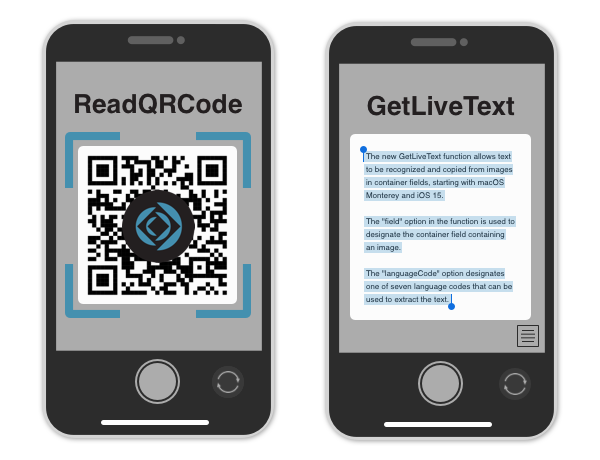
With the release of Claris FileMaker 19.5, there are some new functions related to containers that offer new ways to increase efficiency, accessibility, and utility in app development. Learn about two new functions coming to FileMaker Pro 19.5 that open up new options for using containers both on desktop and on mobile. Includes a video and sample file. Read the full article here.
Backups are an integral part of any database system, ensuring your information is safe and up-to-date in the event of system failures and crashes. Until now, Claris FileMaker Server has used a one-by-one approach for backing up files, but FileMaker Server 19.5 has introduced the ability to enable parallel backups, and it's a game-changer. Includes video. Read the full article here.
Claris' newest release of FileMaker Server is here! We discuss a few of the newest features to FileMaker Server, including scripting updates, parallel backups, and updates for Linux and WebDirect that promise to bring more speed and efficiency to your FileMaker application. Read the full article here.
Claris' 19.5 release of the FileMaker platform is here. We discuss our favorite new features including the new JSONGetElementType function, preservation of empty tab order for copied objects, changing locale using data migration tool, and approval for remote FMP URLs. Read the full article here.
Depuis quelque temps, le cycle des versions de FileMaker a changé, et les versions passent un peu inaperçues. La liste des nouvelles fonctionnalités est ici pour FileMaker Pro et ici pour FileMaker Server, mais nous sommes là pour décortiquer et insister sur celles qui nous paraissent les plus importantes. Côté FileMaker Pro/FileMaker Go, les nouveautés […]
Cet article FileMaker 19.5 est là ! est apparu en premier sur 1-more-thing.
View the full article
Depuis quelque temps, le cycle des versions de FileMaker a changé, et les versions passent un peu inaperçues, notamment en raison de la numérotation figée à 19 et d’un rythme plus soutenu des sorties. FileMaker 19.5 n’échappe pas à la règle. La liste des nouvelles fonctionnalités est ici pour FileMaker Pro et ici pour FileMaker […]
Cet article FileMaker 19.5 est là ! est apparu en premier sur 1-more-thing.
View the full article
Wow that’s amazing! I’ve gotten quotes from other places and they act like this license doesn’t exist… quoting me above your price. It’s always nice to have someone to be a partner that is willing to help you instead of just trying to sell.
The post E-Automation Systems, LLC – “Wow that’s amazing!” appeared first on fmcloud.fm.
View the full article
FileMaker provides a good number of UI widgets which allow for a wide mix of cool things. Sometimes, it's all about knowing the various features and functions which allow you to implement a really helpful navigation feature.
For this video/article release you're going to find a wonderful technique which allows you to assign keyboard commands to the navigation of a Button Bar widget.
There are a number of ways this technique could be used, but the fundamental reason for doing so is because you
This is a quick follow up to Tuesday’s article, and to avoid unnecessary repetition I will assume the user is familiar with that material. button bar segment fun, v3 (from part 1) button bar segment fun, v4 (WeTransfer link) There were some things in v3 I wasn’t completely happy about, and I realized this morning… Continue reading Button Bar Segment Fun, part 2View the full article
Demo Files button bar segment fun, v1 button bar segment fun, v2 button bar segment fun, v3 Today we’re going to look at some ways single-segment button bars (SSBBs) can help produce dynamic column headings for list views and/or reports, with a goal of concentrating logic into the segment calculation and reducing schema dependencies elsewhere. This… Continue reading Button Bar Segment FunView the full article
One of the best parts of learning to develop within FileMaker is you have a great sense of "full control" over the data you want to manage. This applies to situations even as simple as a hobby or something you enjoy. In fact, these "hobby databases" are some of the best ways to expand your learning about how to both structure and present data. If you haven't before, you should give yourself a challenge with something you enjoy!
In this video, I decided to break down the series of steps I took w
Claris knows that the best solutions are tested and refined over time. That's why they recently announced their new Problem Solvers Circle, a program that gives your organization the freedom to explore, build, and test new solutions over a period of 2 years, with full access to the suite of Claris products. Read the full article here.
Hi all,
I have just published a new article at FileMaker Weetbicks. This is part 2 of our navigation series and in this article we talk about solution navigation. We extend upon the navigation framework from part 1 and leverage it to build a contextless button bar navigation control that can be used for solution wide navigation, or for script execution.
You can check the article out here, along with a detailed example file.
Thanks for reading!
Daniel
Martha Zink, The Context Podcast Host & Proof+Geist Director of Marketing Angelo Luchi, Proof+Geist Director of Infrastructure Todd Geist, Proof+Geist Co-Founder/CTO From the outside, hosting with FileMaker Server can seem simple and straightforward. But behind the scenes, there’s a whole lot more going on! Whether you’re hosting your FileMaker solution on-premise or in the cloud, on your own or through a hosting provider, it’s important to keep a few things in mind to protect your data and
Portals can be used for essentially two different functions. Either data presentation or interaction. Of course, as you already know, you can also use a portal for both aspects of presentation and interaction as the same time.
In this video, we continue the growth of our Home Project database where we take a look at the core differences between a Master/Detail portal (Current found set) and one which uses a Self Relationship.
If you've not come across the differences between portal types, and