Welcome to our community, full of great ideas on developing your FileMaker solutions effectively,
for peer-to-peer support of the FileMaker Platform and related products and services.
Author’s note: Inevitable comparisons will be drawn between the new While function and the venerable CustomList custom function, which I wrote about at length several years ago. Preliminary testing indicates that CustomList is faster under certain circumstances and While is faster under others. In my opinion, both of them belong in your developer tool kit. […]
View the full article
The FileMaker Let function is your tool to make a calculation readable, well formatted and easy to debug. Let us discuss how it can be used.
The post Like a Boss: Let us Discuss the FileMaker Let Function appeared first on Geist Interactive.
View the full article
[ Edit: 3/16/2016 - With the help of some other people, we have been able to recover, or recreate some of the original images from original thread. ]
Security is always a big topic when it involves data, or people, or possessions. Recently, over on the FileMaker Community, there was a very beneficial discussion regarding security. Unfortunately, that discussion was the victim of a necessary action...and was deleted. It was deleted, because the discussion was tied to a video that, as was det
Hi all,
Today I'm happy to announce the release of Elemental for FileMaker. This is a free fully unlocked solution containing some cool user interface and design stuff that I hope you find useful and can incorporate into your own solutions.
You can grab a copy now at https://www.elemental-fm.com
In Elementals first version you'll find the following:
Avatars
Over 20 API integrations with avatar generators. These are uniquely generated based on a name y
The FileMaker Script Debugger is powerful. Its features are often overlooked. In this post we examine the buttons that control stepping through a script.
The post Like a Boss: Using the Script Debugger to its Full Potential appeared first on Geist Interactive.
View the full article
Continuation of interview with Steve Senft-Herrera [Editor’s note: the demo file and custom function have been significantly updated since part 1.] Demo file: CF_JSONQuery_20211130_0120_PUBLIC.fmp12.zip (WeTransfer link) KF: Welcome back Steve for part 2 of our JSONQuery conversation. SSH: Thank you, Kevin. KF: One thing we didn’t mention last time, because they were late-breaking additions, were the… Continue reading JSONQuery, part 2View the full article
Starting a company is not easy. Day one is especially precarious. In this post Jeremy describes his thoughts and feelings, and he shares his methods of handling it.View the full article
Hi all!
Number 2 in our Best of 2021 series is how to easily grab a record in JSON notation, with just a single script. A neat little tool which can aid in API integration as well as proving useful as a tool when trying to debug end user issues. You can check out the article below along with an example file that illustrates the technique so you can use it in your own solutions.
https://www.teamdf.com/blogs/get-record-as-json
Thanks for reading
Daniel
When first using FileMaker's Filter Portal Records feature it's easy to get excited about how you can limit the set of records to exactly what the user needs to see. You start adding a single filter and the result feels like magic. A simple search filter using a global field will let you extra exactly the records you want. It's great!
However, when start adding more and more filters things start to get complicated really fast. You have to become super comfortable with creating complex calculati
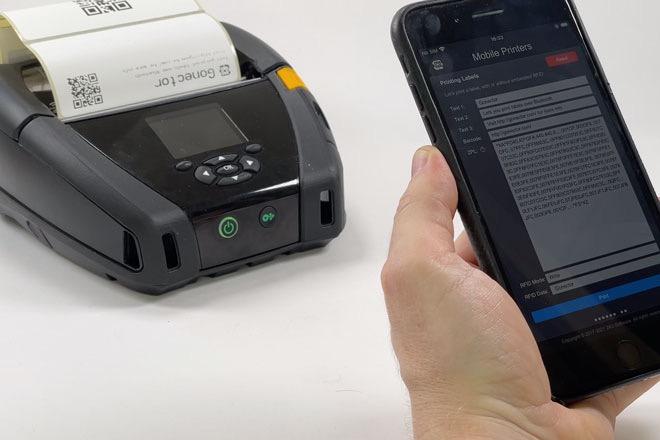
We have made our mobile hardware integration plug-in able to print labels on the Zebra ZQ630 RFID and compatible label printers, including reading and writing UHF RFID tags embedded in the labels. Gonector print labels directly via Bluetooth using the Zebra Programming Language, known as ZPL, so you don’t have to rely on wi-fi or AirPrint. Printing labels with Gonector is fast, reliable, and your scripts can have 100% control on what’s printed and where.
Read more and see how easily you can
Hi all,
2021 is nearly over and so I thought I would take look back and share some of my favourite techniques and code bits I wrote in 2021. I've picked my favourite 5, starting with Multi-Row Portal Selection. This technique is all about intuitive OS style row selection utilising modifier keys - example file included as always.
Check out the best of here!
Stay tuned over the coming weeks for more of my favourites.
Weetbicks
Claris' 19.4 release of the FileMaker platform is here. We discuss our favorite new features including Windows 11 and macOS Monterey compatibility, automation with macOS Shortcuts, and customization of OAuth providers! Read the full article here.
Did you see our course, Mastering FileMaker Server? Productive Computing University revamped its FileMaker SSL course to address much more than installing SSL certificates in FileMaker Server.
Installing SSL certificates on FileMaker Server was no picnic back in the day, and thanks to recent updates, a 2-3 hour course solely providing instructions on SSL certificates may no longer be necessary. Now that it’s easier to install SSLs with FileMaker Server, PCU updated the course with an expanded l
Who doesn't need to mark subsets of records? I've rarely, if ever, worked on a solution which couldn't take advantage of simple record marking. Whether it's for creating a user based subset or simply toggling an active or favorite value.
Marking records is something which should just be standard. So, why not make it both standard and universal. Meaning, you use one single script regardless of whether you're dealing with a current found set of records or a filtered portal - and independent of a
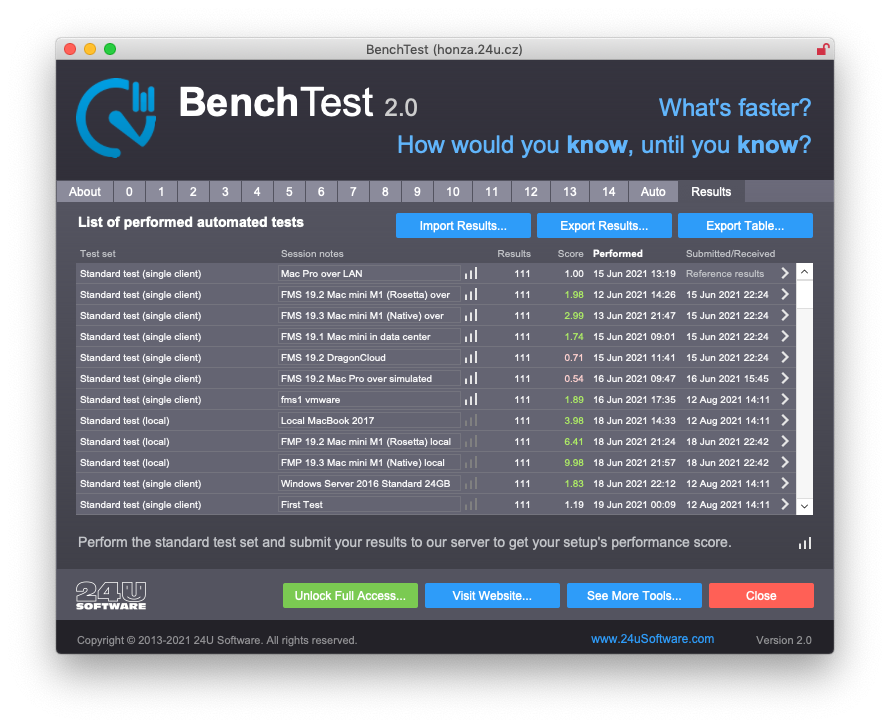
Meet BenchTest 2, our free benchmarking tool for Claris FileMaker. You can use it to measure and compare performance of different techniques to do the same thing, different versions of FileMaker Pro and FileMaker Server, or different client, server and network configurations.
We created BenchTest for FileMaker DevCon 2013 to show how different ways to do the same thing compare to each other in terms of performance. We compared speed of aggregate functions with summaries,
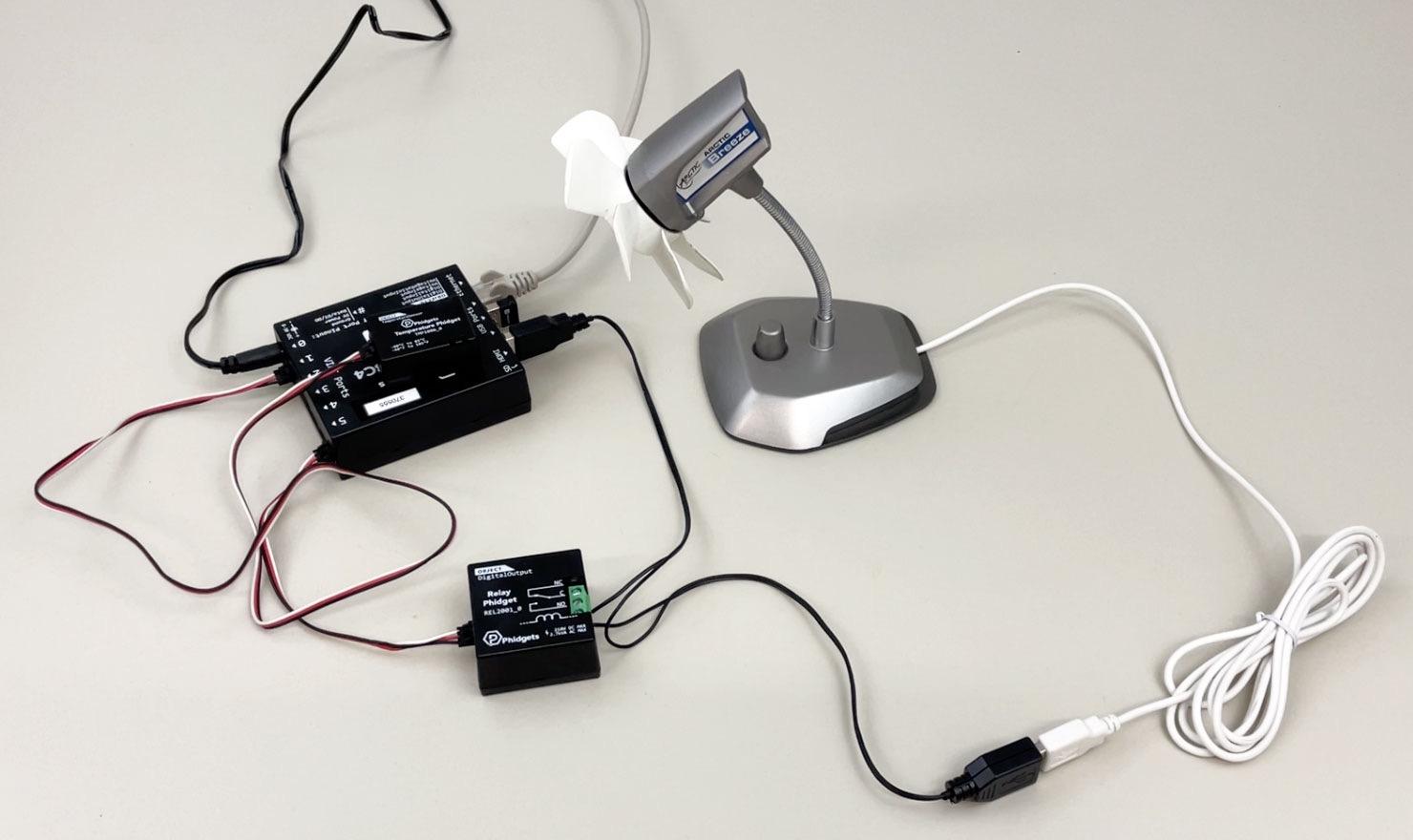
Bridge for Phidgets 4 adds support not only for 13 new VINT sensors, but also for FileMaker Server. That means you can now use this plug-in to automate monitoring of your servers rack temperature, tracking access using RFIDtags, unlocking doors, and anything else you can imagine, all that 24 hours a day without having to leave a dedicated FileMaker Pro client open all the time. See how easily you can use it to monitor your server temperature and automatically switch ventilation on and off as nee
Today, we are proud and excited to release Otto 3 into the world and share it with the Claris FileMaker Community. You can read all about it on Otto’s new home: www.ottofms.com Also you can read Todd’s introduction to Otto 3 here.
The post Introducing Otto 3 appeared first on Proof+Geist (formerly Geist Interactive).
View the full article
For many FileMaker solutions it's fine to use the default standard FileMaker menus. There are only a few dangerous menu options which can cause serious problems. In fact, learning how FileMaker actually works, via its default menus, is a big benefit in a lot of situations. In some, however, it makes a lot of sense to simply take advantage of being able to implement and use our own menu systems.
In this video we walk through how to get started with Custom Menus and how to take advantage of the f
With easy and secure access to content, it's easy to see why Google Drive is a top choice for over a billion people worldwide for file and content sharing and collaboration. We demo how to seamlessly share files across FileMaker and Google Drive with our step-by-step integration. Includes tutorial video and demo file. Read the full article here.
Interview with Steve Senft-Herrera [Editor’s note: the demo file has evolved a bit since this interview took place, and, as a consequence, screen shots shown here may deviate slightly from what you will find in the demo.] Demo file: CF_JSONQuery_20211029_1200_PUBLIC.fmp12.zip KF: Good afternoon, Steve. You’ve been developing JSONQuery over the last few years, and today… Continue reading JSONQuery, part 1View the full article
Nous sommes ravis d’annoncer que nous avons été présentés dans le magazine Best Startup EU comme l’une des meilleures entreprises d’intégration de données en Belgique. Grâce à notre expertise dans la conception d’applications Low-Code et l’intégration/orchestration, 1-more-thing a été sélectionnée en raison de ses performances exceptionnelles dans la catégorie Innovation, parmi les catégories suivantes : […]
Cet article Best Startup EU nomme 1-more-thing parmi les meilleures startups d’intégrat
Nous sommes ravis d’annoncer que nous avons été présentés dans le magazine Best Startup EU comme l’une des meilleures entreprises d’intégration de données en Belgique. Grâce à notre expertise dans la conception d’applications Low-Code et l’intégration/orchestration, 1-more-thing a été sélectionnée en raison de ses performances exceptionnelles dans la catégorie Innovation, parmi les catégories suivantes : […]
Cet article Best Startup EU nomme 1-more-thing parmi les meilleures startups d’intégrat
For anything that could possibly go wrong within FileMaker we have a list of Error Codes. They're easily referenced from within FileMaker's help documentation. While they won't give you the exact solution to any particular error that's happening, they do provide the starting point for where to look and troubleshoot.
In this video, we take a look at how to simply use and reference the provided FileMaker error codes. We also look at how you can intentionally cause an error in order to take contro
One of the more troublesome questions we ask ourselves as developers is "Am I doing this the right way?". And, while it applies to most all situations, it most certainly applies to data structure.
If you don't structure your data well enough, then you either have to restructure it later, and migrate, or try to solve some of your problems in very odd ways.
Fortunately, the variety of ways you can actually store data presents a lot of options depending on what type of software you need to create