Welcome to our community, full of great ideas on developing your FileMaker solutions effectively,
for peer-to-peer support of the FileMaker Platform and related products and services.
Forums are a great way to get technical advice for FileMaker but for some reason, many people don't think they have to be nice in the electronic world. I was raised to say "please" and "thank you" and that has translated over to the internet for me. But, other folks think the anonymity of cyberspace is an excuse to be a jerk. Some posters are outright offensive and others will just leave snide responses like, "that wasn't much help". News flash! People on the internet are real and you should be
The FileMaker Let function is your tool to make a calculation readable, well formatted and easy to debug. Let us discuss how it can be used.
The post Like a Boss: Let us Discuss the FileMaker Let Function appeared first on Geist Interactive.
View the full article
FileMaker Kanban is the latest tool that offers familiar functionality for users and flexibility for the developer. It offers great functionality and organizes your data visually into lanes and cards.
The post FileMaker Kanban: Organize Your Data appeared first on Geist Interactive.
View the full article
The FileMaker Script Debugger is powerful. Its features are often overlooked. In this post we examine the buttons that control stepping through a script.
The post Like a Boss: Using the Script Debugger to its Full Potential appeared first on Geist Interactive.
View the full article
For the first time, DB Services has been ranked #3494 on the annual Inc. 5000 list, which ranks the country’s “fastest-growing innovators” based on overall revenue growth over a three-year period. The Inc. 5000 list has brought attention to America’s growing private businesses since 1982.
DB Services now joins the ranks of other Inc. 5000 list alumni such as Facebook, Zappos, Pandora, and others. DB Services is top ranked FileMaker Platinum Business Alliance Partner on the 2019 Inc. 5000 li
Four years ago we wrote an article about how you can refresh portals and relationships without the need to flush the entire cache. The technique involved using a Cartesian Join. Now, over four years later FileMaker 14 has given us a supported way to do this with the Refresh Portal script step. In this article we demonstrate how the step can be used by comparing it to the example given in our first article on the subject. We also cover some situations where cartesian join may still be the prefer
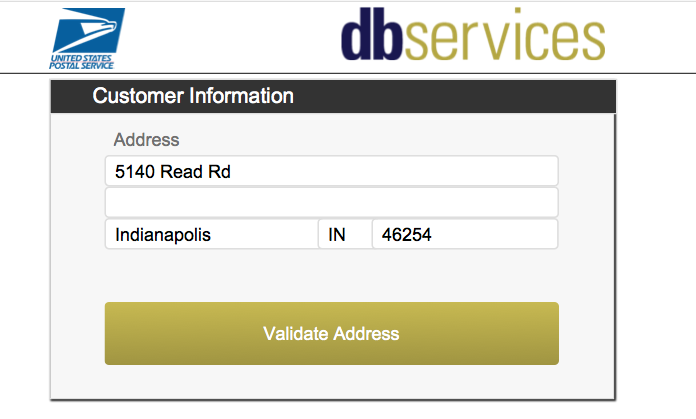
Learn how to easily validate an address using a free web service from USPS. Sign up for a free developer account at USPS and ensure you have valid addresses. Includes sample file and tutorial video. https://www.dbservices.com/articles/integrate-filemaker-usps-address-validation/
dbservices.com
Attachment
Size
CleanReadingCode.zip
284.37 KB
By Matt Petrowsky
The ability to read code is similar to being able to read a foreign language. The greater your vocabulary in terms of structuring sentences, the more expressive the result.
When opening your own scripts just a few months later, if you can make quick sense of what the script does, then you've accomplished the ideal of clean reading code.
In 2010, I set out to document my own methods of coding madness. There have alwa
The ability to read code is similar to being able to read a foreign language. The greater your vocabulary in terms of structuring sentences, the more expressive the result.
When opening your own scripts just a few months later, if you can make quick sense of what the script does, then you've accomplished the ideal of clean reading code.
In 2010, I set out to document my own methods of coding madness. There have always been standards floating around in the world of FileMaker and personal prefer
Buttons have had a major overhaul in FileMaker 14. In addition to a brand new user interface for button setup, you now have far more control over a buttons appearance, including adding an icon (that is not an overlaid image!) In this article we cover some of the new features of button setup including adding your own icon sets for button usage.
Click here to check out the full article at FileMaker Weetbicks
No Access? Watch the preview video here. ChartingAnywhere_Pre.mp4
Attachment
Size
ChartingAnywhere.zip
292.7 KB
By Matt Petrowsky
One of the more valuable things you can add to your data is some sort of visualization. At its most basic level, this is primarily a chart or graph which speaks about the state of your data.
Visualizations have been a hot topic in recent years because it's become so easy to access larger data sets. Spending even just a small amount of time on http
One of the more valuable things you can add to your data is some sort of visualization. At its most basic level, this is primarily a chart or graph which speaks about the state of your data.
Visualizations have been a hot topic in recent years because it's become so easy to access larger data sets. Spending even just a small amount of time on http://visualizing.org or http://www.informationisbeautiful.net makes your everyday UI designer salivate at all the pretty pictures which can provide insi
It's been quite a while since FileMaker introduced a new layout part, but with FileMaker 14 we have one. Known as the Navigation part, on the surface it may appear similar to it's cousin the header. However the more you delve into its properties the cooler it gets. In this article we explain the properties of the Navigation part and why it rocks!
Click here to check out the full article…
With FileMaker 13’s update comes an unexpected twist for some with regard to web publishing and Apache. For most installations this will be quite straight forward, deploying the web publishing engine and connecting from a remote location. With the Web publishing and web site on separate machines this would be recommended, however saying you are...
View the full article
FileMaker 14 has been out for a few weeks now and there are lots of discussions going on about all the new developer tools, but what does the new version of FileMaker offer the end user? FileMaker Pro and FileMaker Pro Advanced are now available as 64 bit applications, allowing you to take advantage of...
View the full article
Four years ago I posted the original version of this article, exploring a technique that worked fine in FM 11, but that broke and required extensive work arounds in FM 12 and 13. What you’re about to read is a revision of the original article, showcasing a FM 14 method made possible by a new […]
View the full article
We had a special presentation at the Atlanta FileMaker Developers group meeting last night. Andy LeCates and Darrin Quick from FileMaker, Inc. came by to present some of the new features in FileMaker 14 and answer questions from the attendees. We live-streamed the event on YouTube and Hangouts On Air, where we also had some remote participants watching and asking questions.
The recording of the live-stream is available on YouTube below.
View the full article
Over the past couple of months, we have started using Yii on a number of projects. It’s a great foundation for almost any project, allowing for easy extensibility, it is generally a well thought out MVC framework that has been quick to pickup. Built into Yii is a secure authorised user identity system, AKA a...
View the full article
FileMaker just keeps getting better! With 14 we have more flexibility than ever before when it comes to creating gorgeous looking solutions. A number of a new layout styling options help make this possible. In this article we cover some of the new layout object styling options.
Click here to read the full article!
“It is a riddle wrapped in a mystery inside an enigma but perhaps there is a key. The key is how you get the PDF into the container field, and which platform and FM version you use to accomplish this.” Winston Churchill, BBC radio address, 1939 (Just kidding about the second sentence.) If you work with […]
View the full article
Spending a lot of time, within any environment, slowly provides the nuances of that trade. Many of which you simply can't know when first getting started.
It's not just one tip or trick which makes you great. It's the 'bag of tricks' which make you good - and fast.
In this video, I go over a few of my Developer Debugging Tricks. These have been really helpful when developing for either Mobile or Server Side scripts.
While developing, you always need to know various things about the environmen
In this article we show how you can build a button bar to become the main navigation bar for your solution, and how it can be abstracted as much as possible so it can be pasted across multiple layouts. We also cover some of the limitations that using a button bar will present.
Click here to read the full article
by Billable Tasks to Assign to Junior Developers
By Molly Connolly
Summer is a great time to hire and train a new college graduate. Here are a few ideas to get you thinking about how junior developers can quickly get up to speed and start contributing billable hours to client projects.
A junior developer can handle all support call logging and, after some training, even provide the client with some initial help. This responsibility allows junior staff to become familiar with clients’ issues a
For newer FileMaker developers it's easy to exclaim "Oh, cool, FileMaker takes care of that for me. Look, it reduces the image to fit my container." Coupled with the false assumption that what you see is optimized to the ideal resolution will give you nothing but a SLOW FileMaker solution.
While it's nice to have something taken care of for you, it's not always the most ideal. FileMaker can only anticipate so many situations and conditions and, as a developer, your solution may require far more
The new Script Workspace allows you to add script steps simply by typing them directly into a script. It will attempt to auto-complete your entry and find matching script steps. With a little practice and habit you can easily learn the best shortcuts to use to save you the most time when it comes to finding the specific step you want to add. In this article we provide a demo file that gives you a number of variations of shortcuts you can use for every script step, as well as going into detail a
by By Molly Connolly
Over the years I’ve found myself in a position to both hire developers and help developers find good jobs. Since I talk to both developers who are looking for work and developers who are looking to fill FileMaker positions, I thought it might be helpful to share a list of things you could do to strengthen your own job applications.
Whether you are looking for a full-time position or work as a sub-contractor, including this information will increase your chances of gettin
The biggest feature overhaul in FileMaker 14 is that to the scripting area, now known as the script workspace. This is the biggest scripting change in years and with it comes a number of areas where you can gain in efficiency when writing scripts. In this article we document all of the areas of the script workspace and list as many features as we can find.
Click here to read the full article at FileMaker Weetbicks